Yes sir, you can achieve this using the Rollover feature available in AlgoDelta JSON Bridge's Strategy Order.
This feature allows you to automatically roll over your existing Futures or Options position to the next expiry based on a predefined number of days before expiry and a specified rollover time.
Follow these steps to configure it.
Step 1: Open Strategy Order
Navigate to:
JSON Bridge → Generate Syntax → Strategy Order
Configure your required instrument details, including:
- Script Type
- Script
- Expiry Gap
- Other required order parameters
Once you configure the instrument details, you will find the Rollover option.
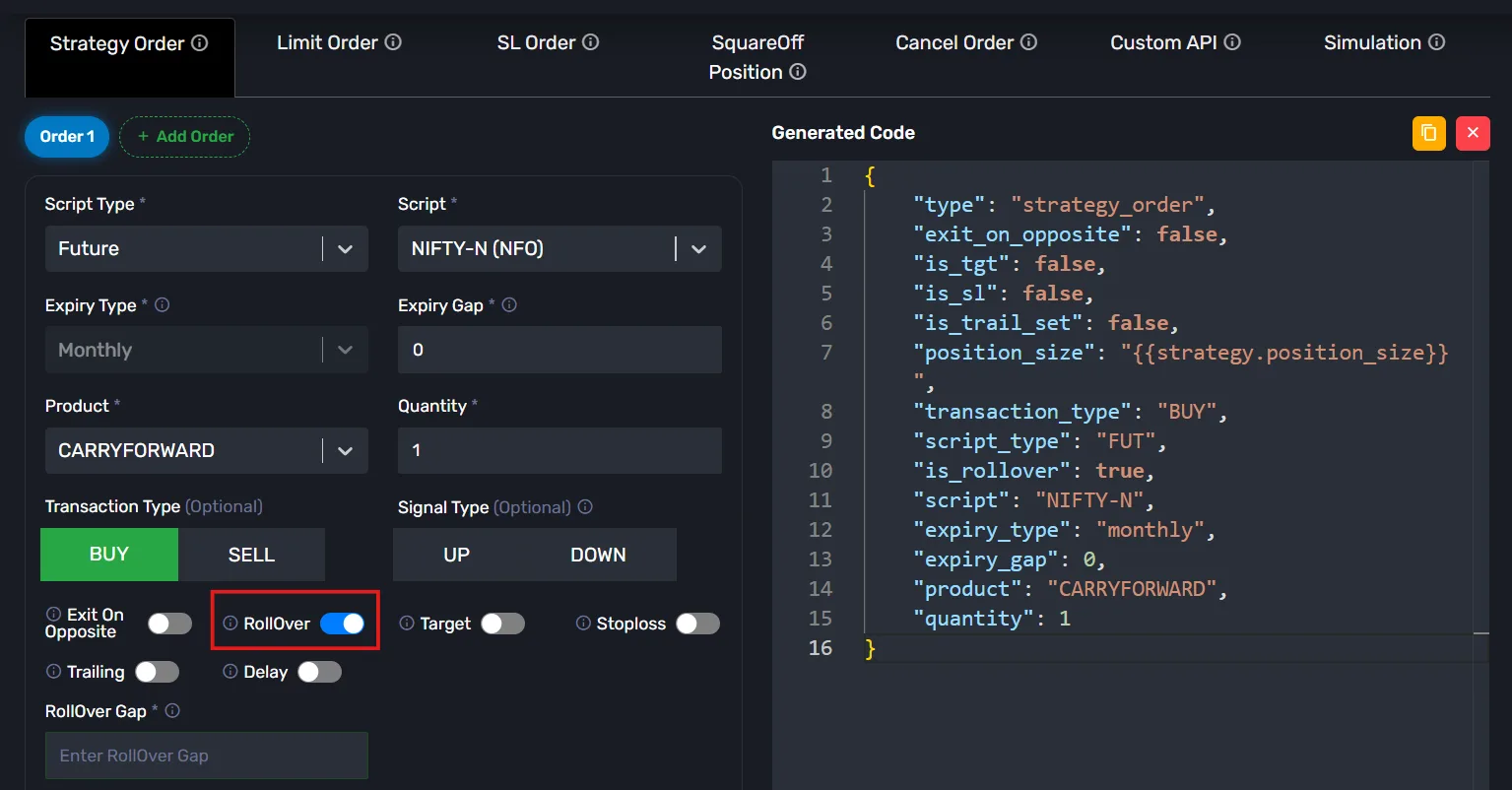
Step 2: Enable Rollover
Enable the Rollover option.
Once enabled, you will see two additional fields:
- Rollover Gap
- Rollover Time
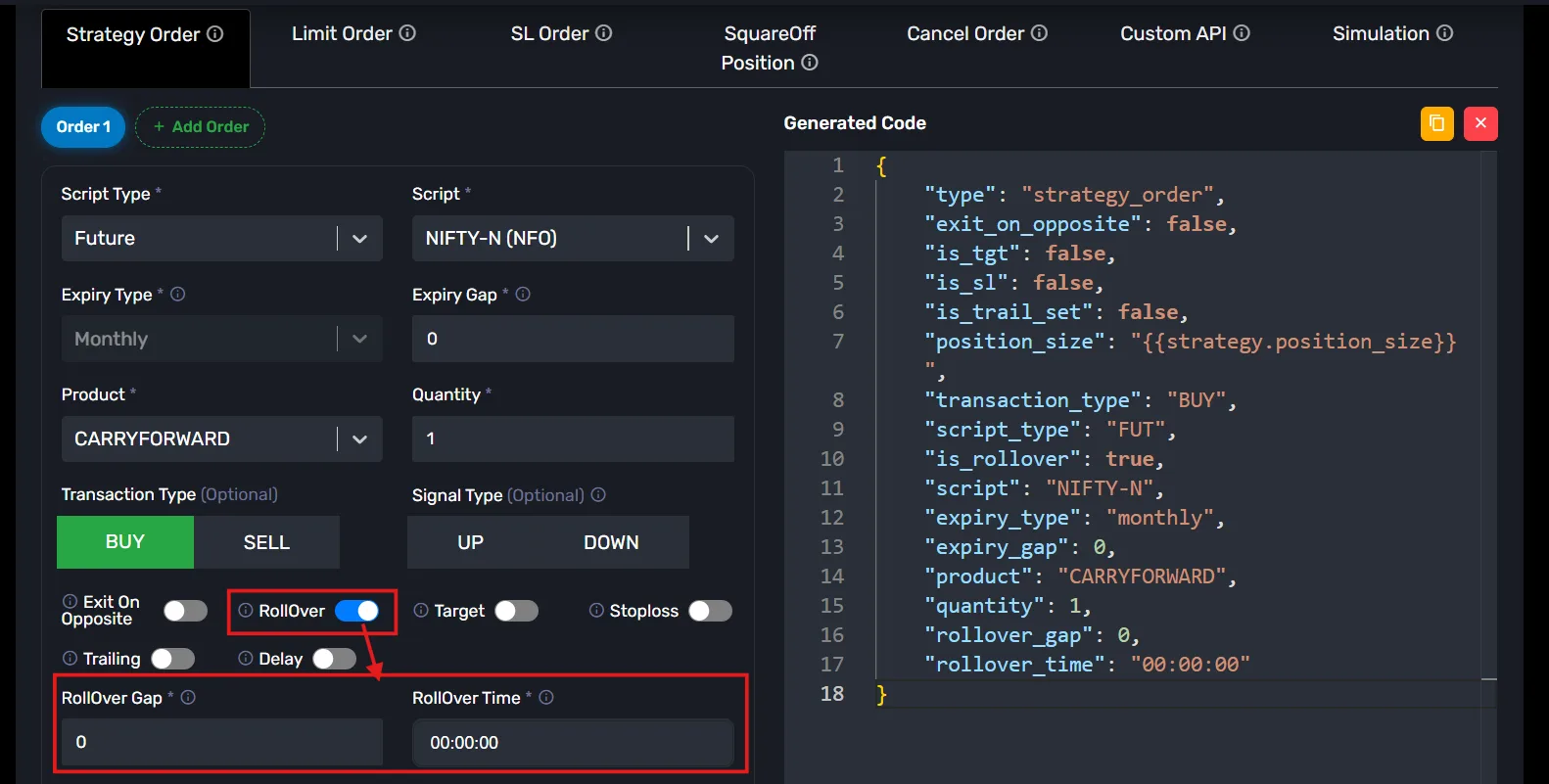
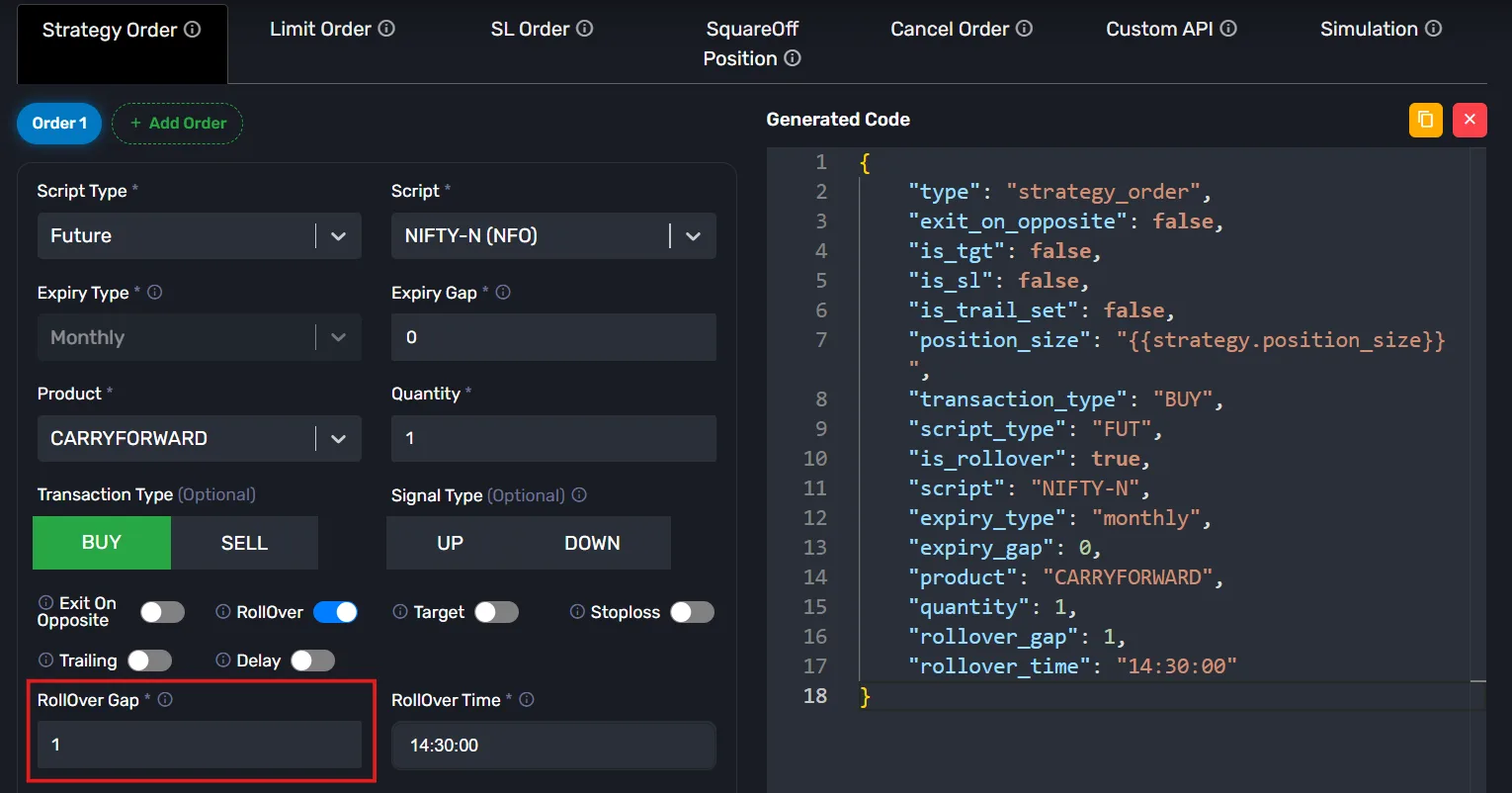
In the Rollover Gap field, enter the number of days before expiry when you want the rollover to take place.
You can configure values such as:
0 – Rollover on the expiry day.1 – Rollover one day before expiry.2 – Rollover two days before expiry.3 – Rollover three days before expiry.4 – Rollover four days before expiry.5 – Rollover five days before expiry.
Similarly, you can configure the required number of days according to your trading requirements.
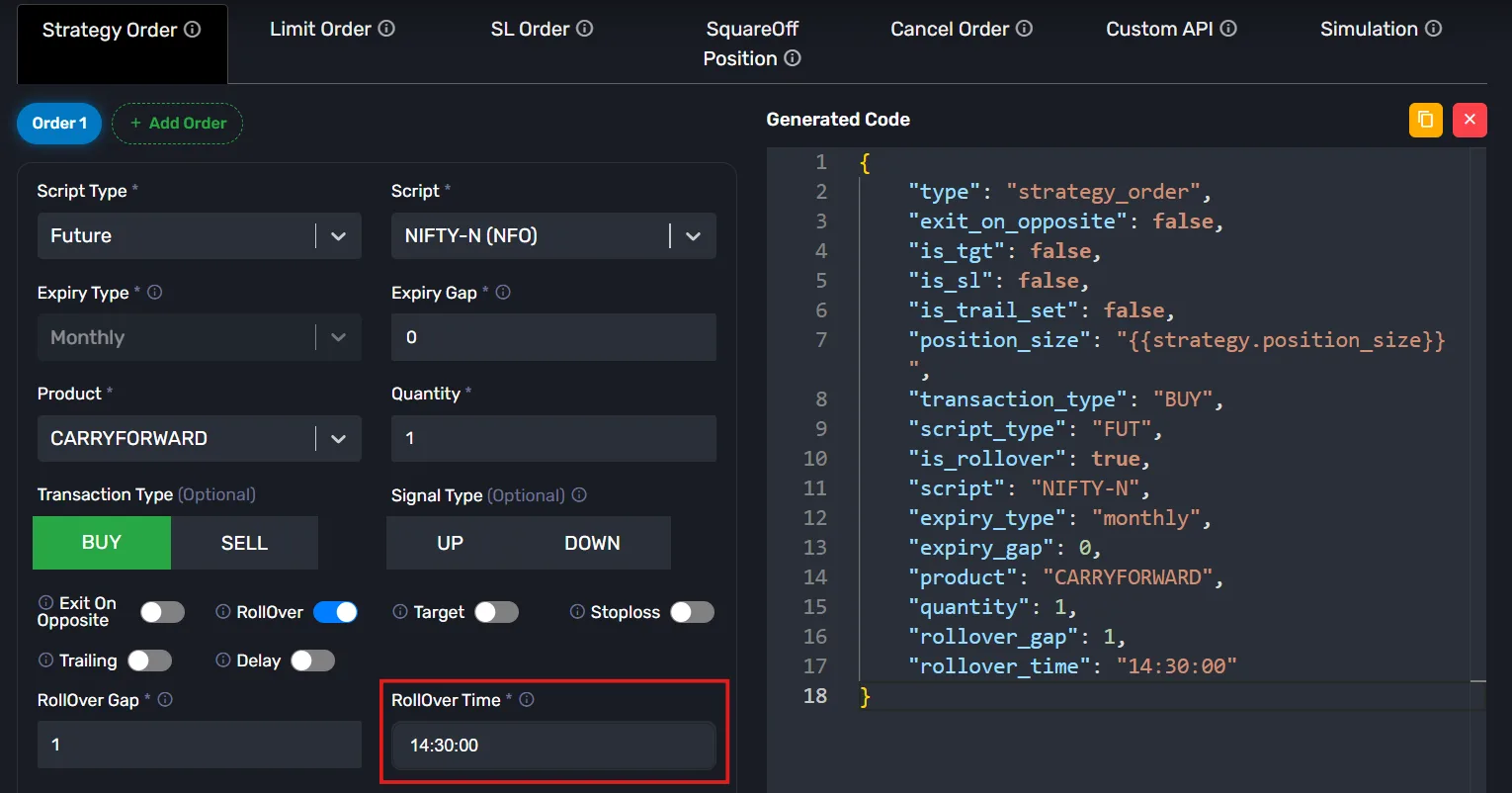
Now, enter the time at which you want the rollover process to be initiated.
For example, if you want the rollover to happen at 2:30 PM, enter the corresponding time in the Rollover Time field.
Example: NIFTY Futures Rollover
Suppose you are currently holding a November NIFTY Futures position and its expiry is approaching.
You want to roll over your position one day before expiry at 2:30 PM.
Configure the following:
- Rollover: Enabled
- Rollover Gap:
1 - Rollover Time:
14:30
Now, when the configured rollover condition is reached, AlgoDelta will manage the rollover from the November Futures contract to the next available expiry contract according to the configured rollover functionality.
This allows you to continue your Futures position in the next expiry instead of manually exiting the current contract and entering the next one.
The same rollover functionality can also be used for Options contracts.
Conclusion
Using the Rollover feature in AlgoDelta JSON Bridge's Strategy Order, you can configure automatic contract rollover based on your preferred number of days before expiry and a specific rollover time.
You can use this functionality for both Futures and Options trading without having to manually manage the expiry transition.
If you still have any doubts or need assistance configuring the Rollover feature, feel free to contact our support team.