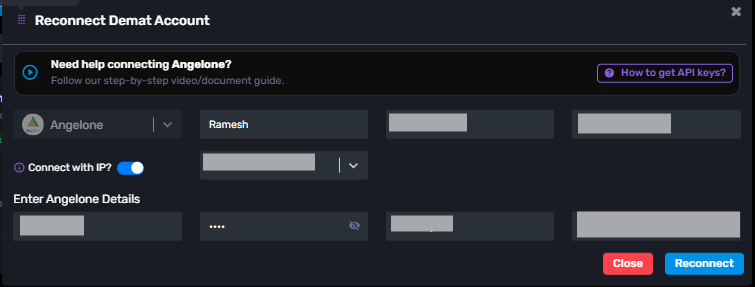
If you want to update the PIN, password, or any other details of an account already added to AlgoDelta, follow the steps below.
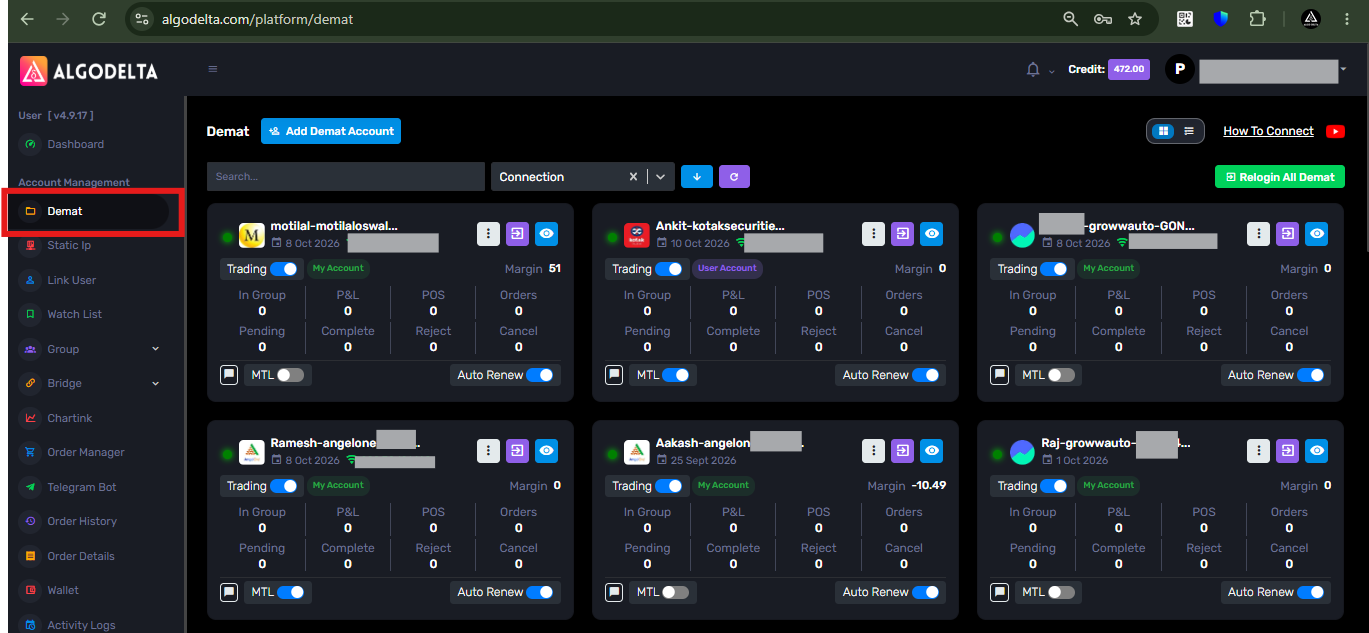
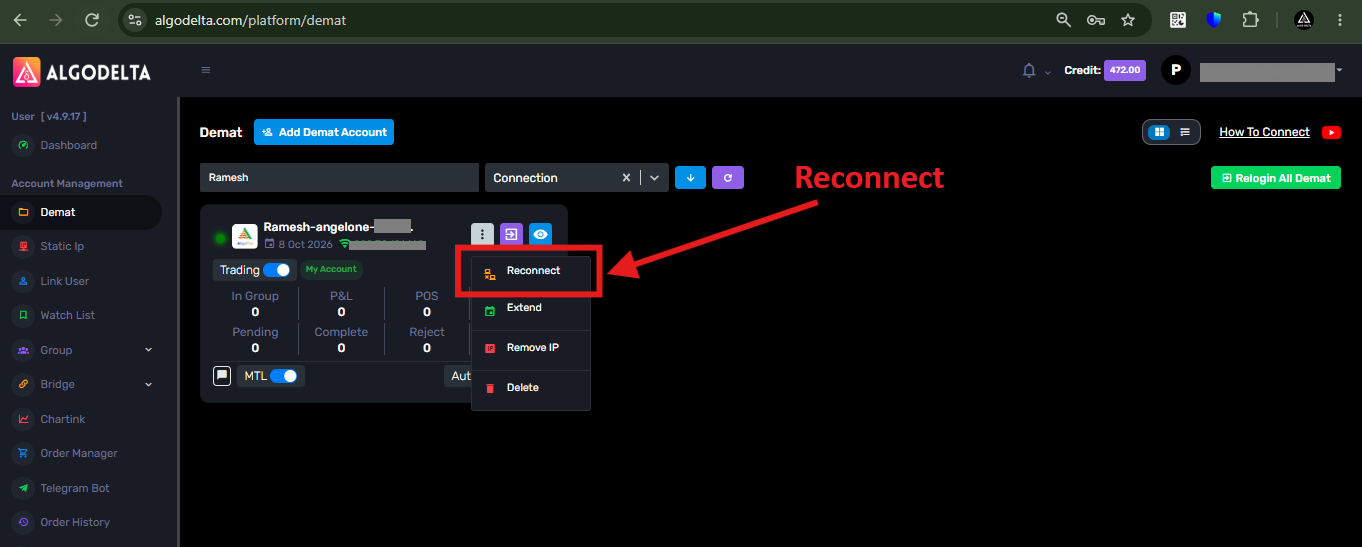
1 ) First, go to the “Demat” tab.
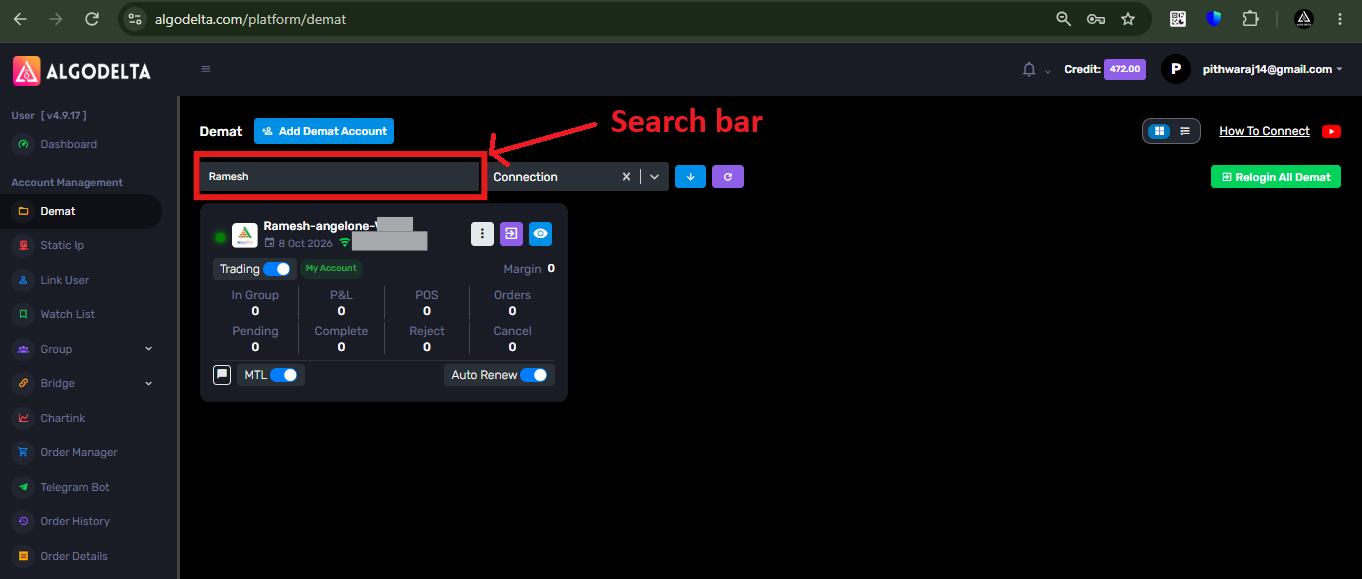
2 ) Then, in the search bar, enter your account name, such as “Ramesh,” “Suresh,” or “Ankit,” or enter the Client ID of that account.
3 ) Then, click on the white three-dot button.
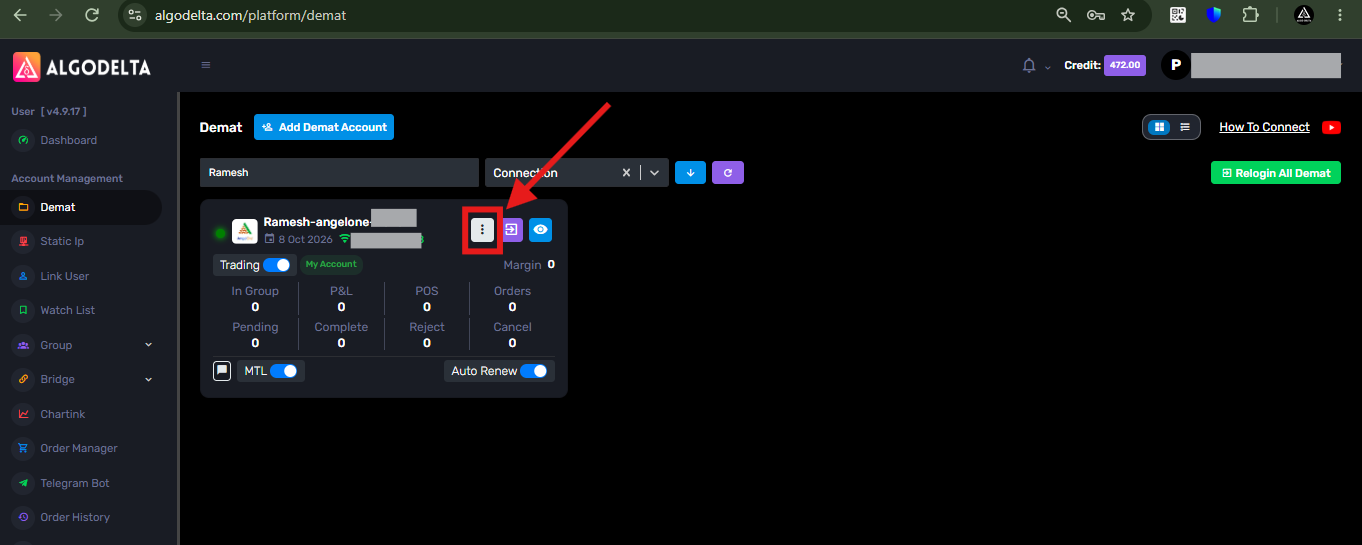
4 ) Then, click on the “Reconnect” option.
5 ) Now, you will see a pop-up like the one shown in the screenshot below. You can update the required details and then click the “Reconnect” button.