Yes sir, creating a Custom Bridge is very simple and only takes a few clicks.
Step 1:
Go to the AlgoDelta platform.
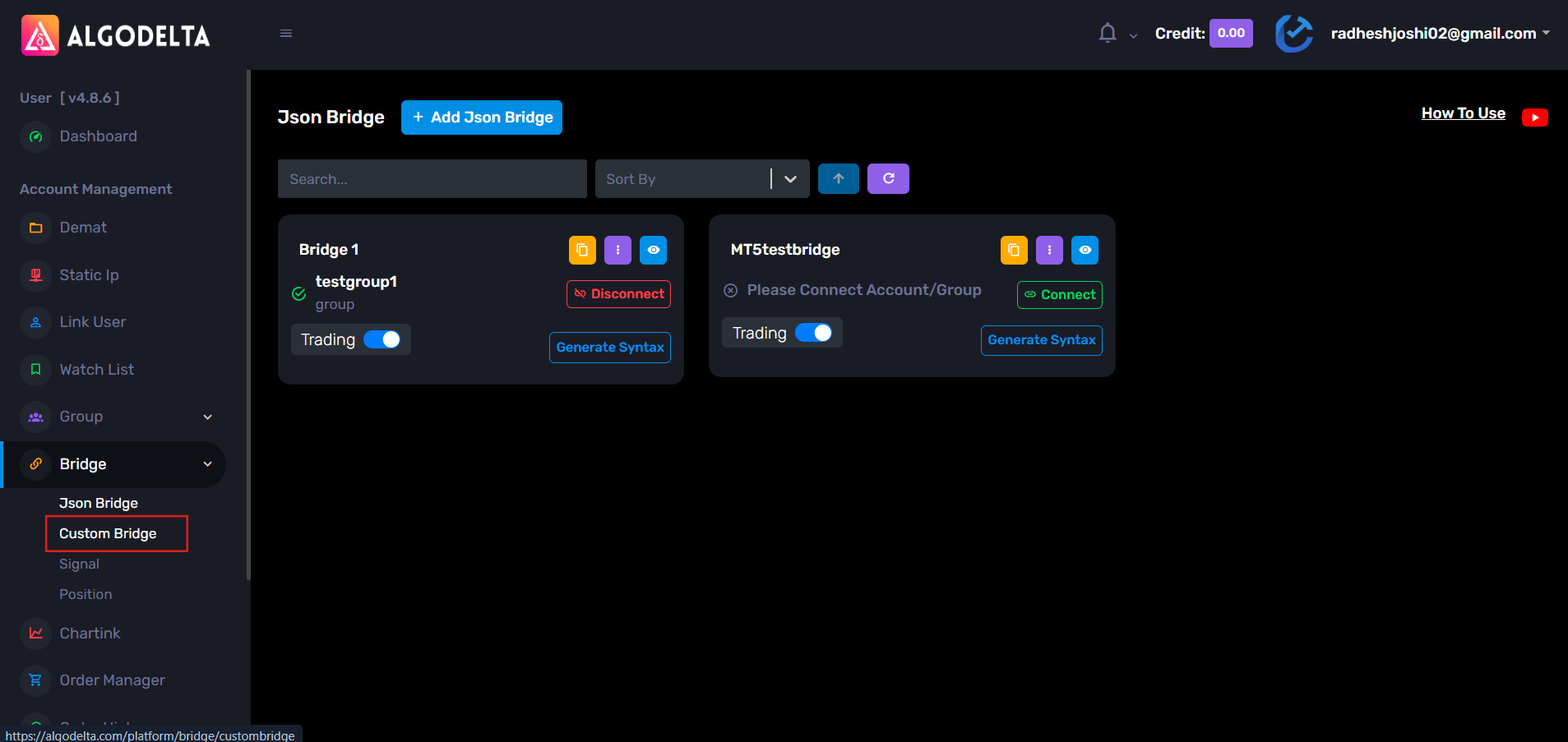
From the left sidebar, navigate to Bridge → Custom Bridge.
From there, you can create a new Custom Bridge and configure it according to your trading requirements.
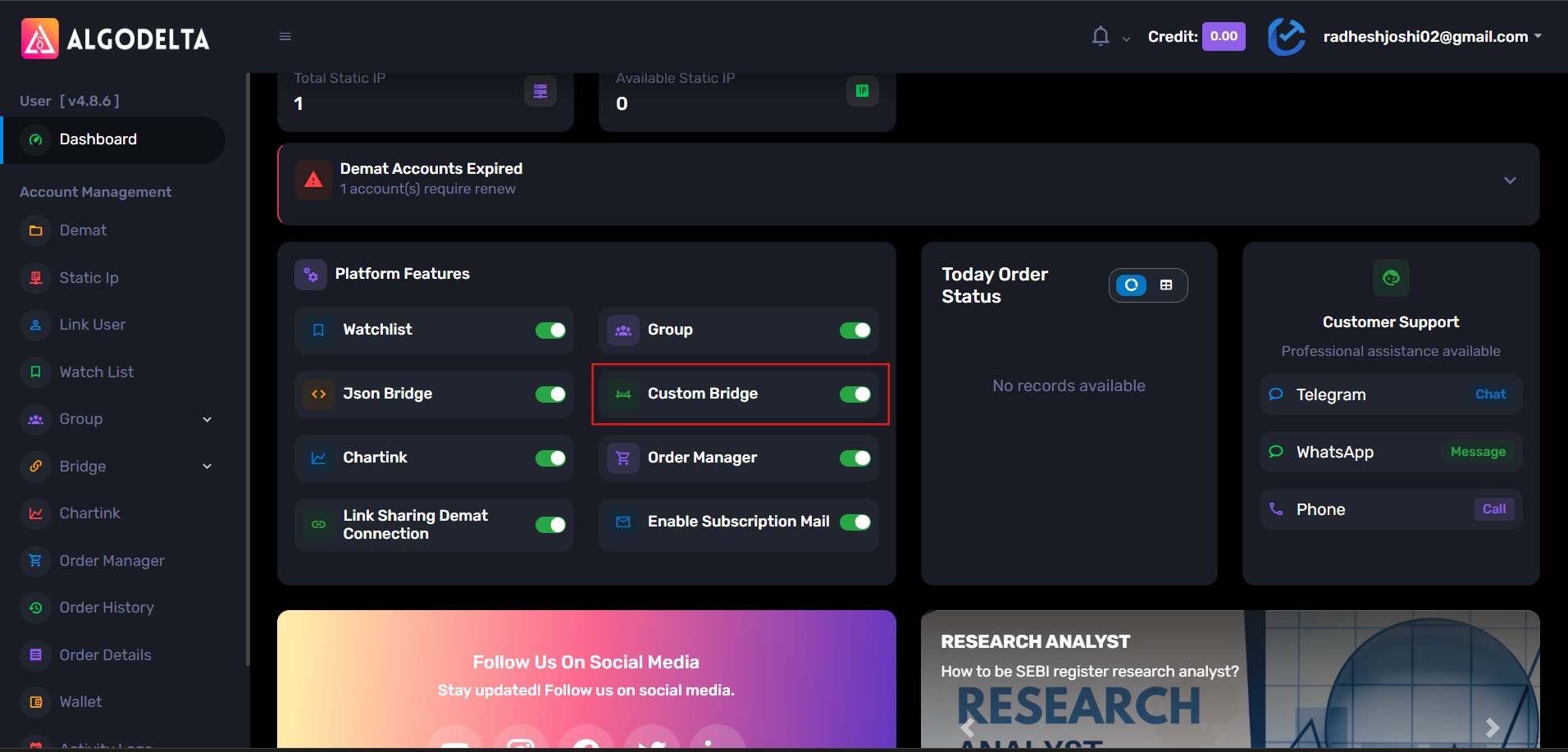
If you do not see the Custom Bridge option, go to the Dashboard and enable the Custom Bridge feature first.
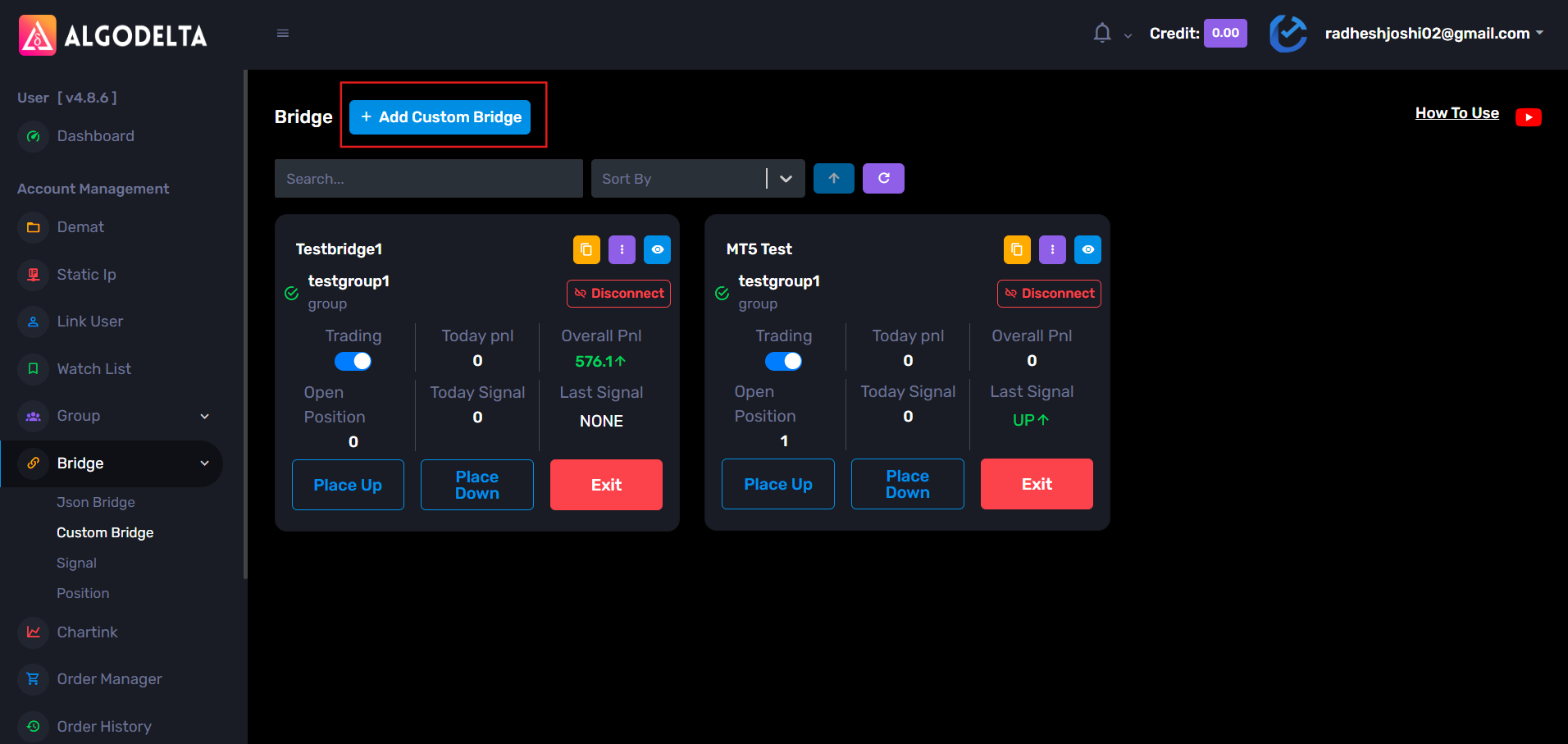
Step 2: Open the Custom Bridge page and click on : “+ Add Custom Bridge”
Step 3:
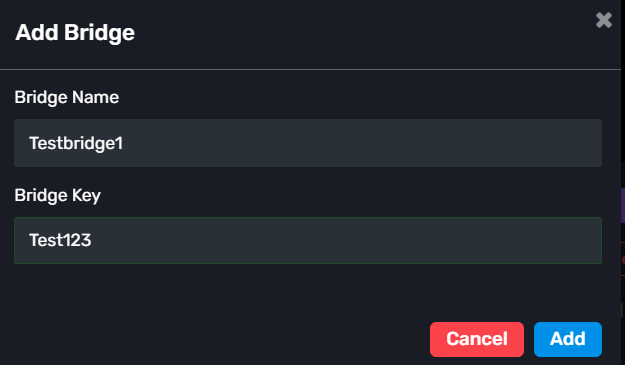
A popup window will appear.
Enter the following details:
Bridge Name: Enter any name of your choice for the bridge.
Bridge Key: Enter any alphanumeric key of your choice (for example: Test123).
After entering the required details, click on the Add button to create the Custom Bridge.
That’s it. Your Custom Bridge is now created.
After creating the bridge, you can:
- Configure the Up Side Execution
- Configure the Down Side Execution
- Copy the webhook URL using the yellow copy icon
Once the webhook is copied, you can connect the Custom Bridge with TradingView, MT5, or any platform that supports webhook-based automation.
So the setup is basically:
- Create the bridge
- Configure the execution settings
- Copy the webhook
- Connect it to your signal source
And you’re ready to automate your trades.



