Yes, you can definitely do that using the JSON Bridge.
The main difference is that indicator-based trading requires two separate alerts — one for LONG signals and one for SHORT signals.
<h3>Step 1</h3>
Go to the JSON Bridge and click:
Generate Syntax
Configure your trade settings.
Example:
- Order Type: Strategy Order
- Script Type: Future
- Symbol: NIFTY-N (NFO)
- Expiry Gap: 0
- Product: Carry Forward
- Quantity: 1
- Transaction Type: Buy / Sell
You can also configure:
- Exit on Opposite
- Stop Loss
- Target
- Rollover
After configuration, copy the generated JSON syntax.
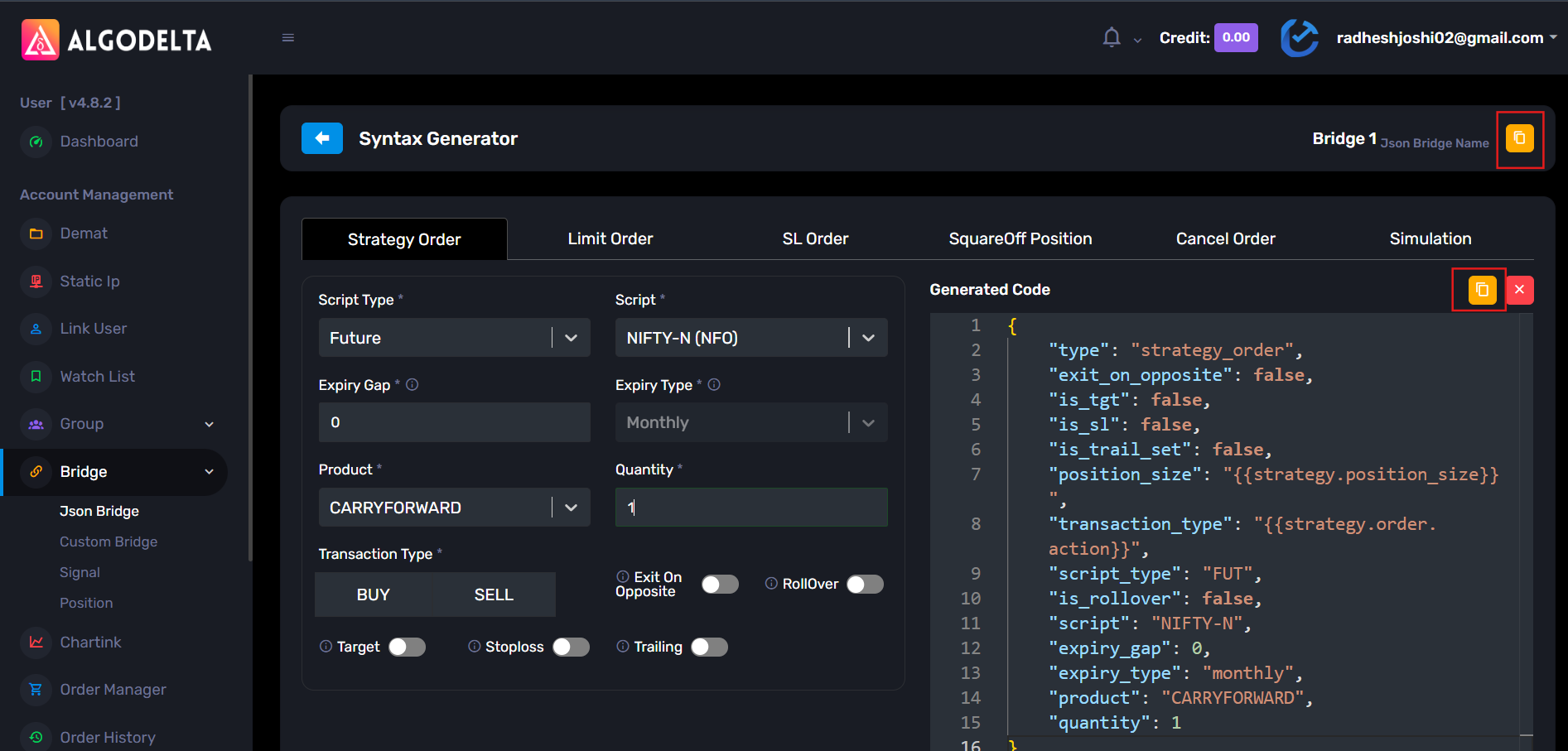
Step 2: Copy the webhook URL from the JSON Bridge.
Step 3 : Open TradingView and apply your indicator on the chart.
Then create a new alert.
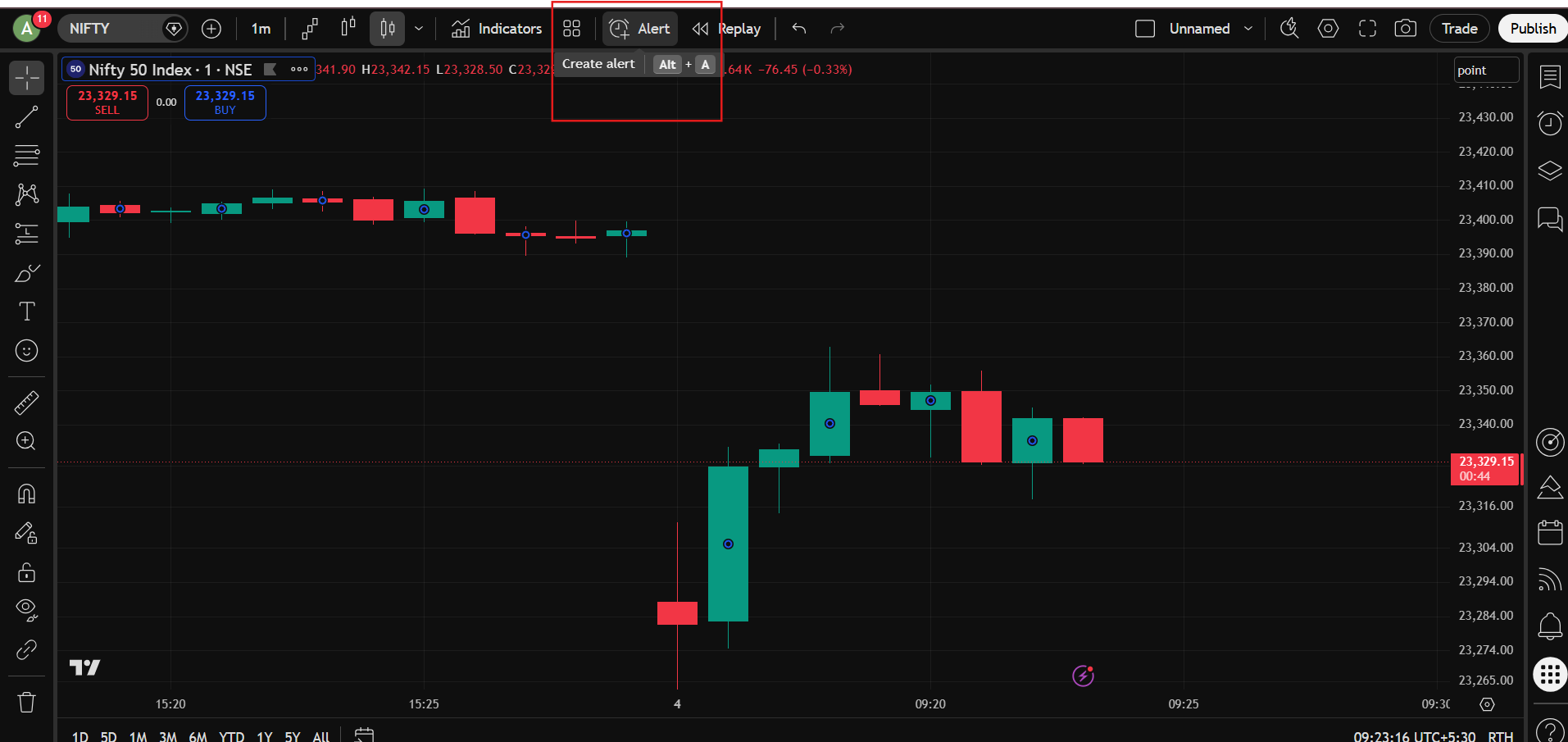
Step 4 :In the Condition dropdown, select your indicator.
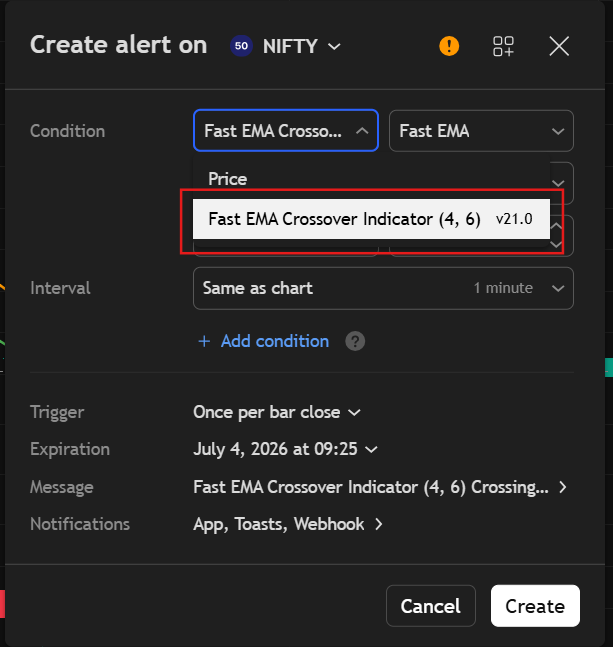
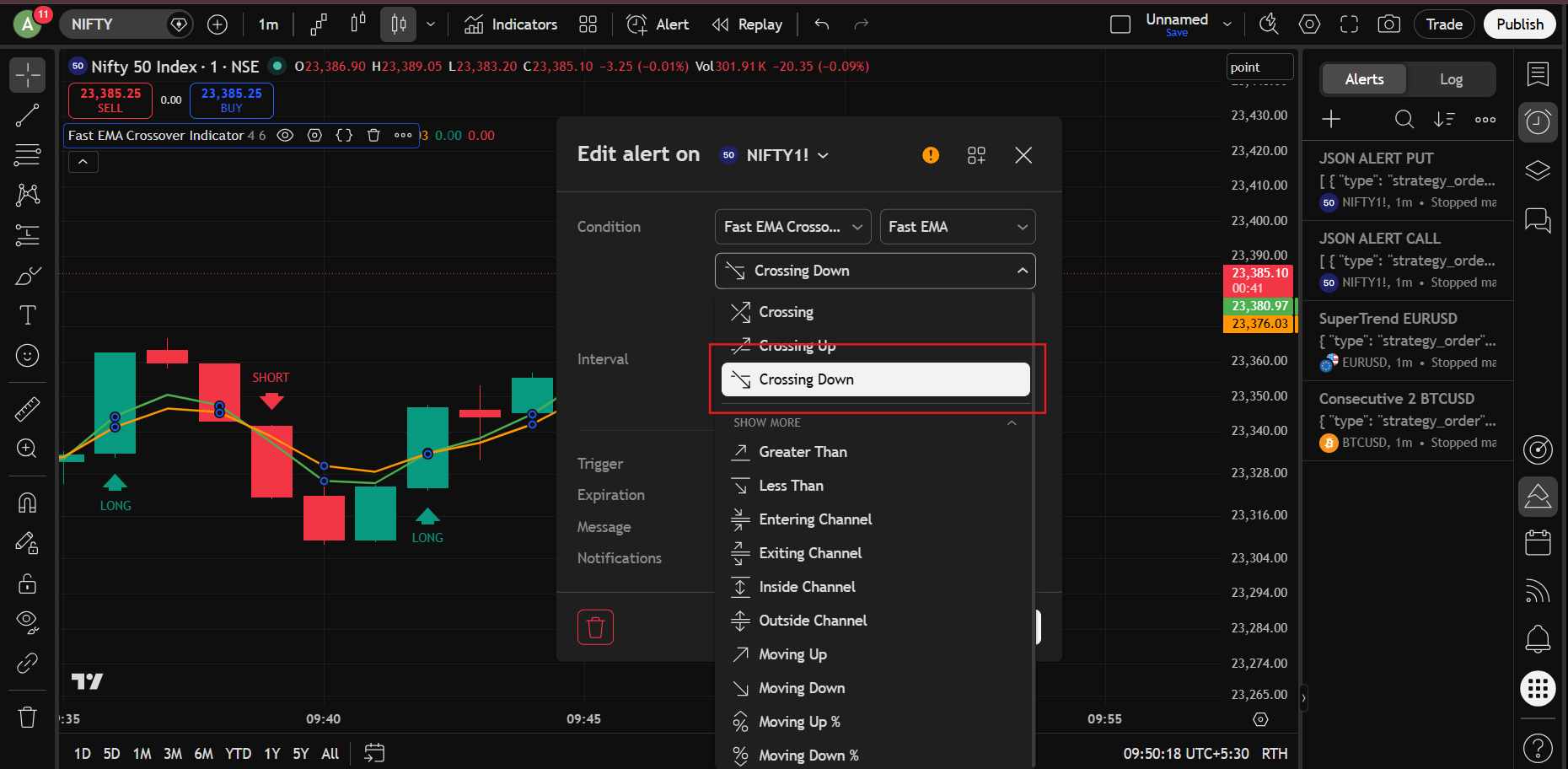
Step 5 : For the first alert, select: Crossing Up : This will be your LONG signal alert.
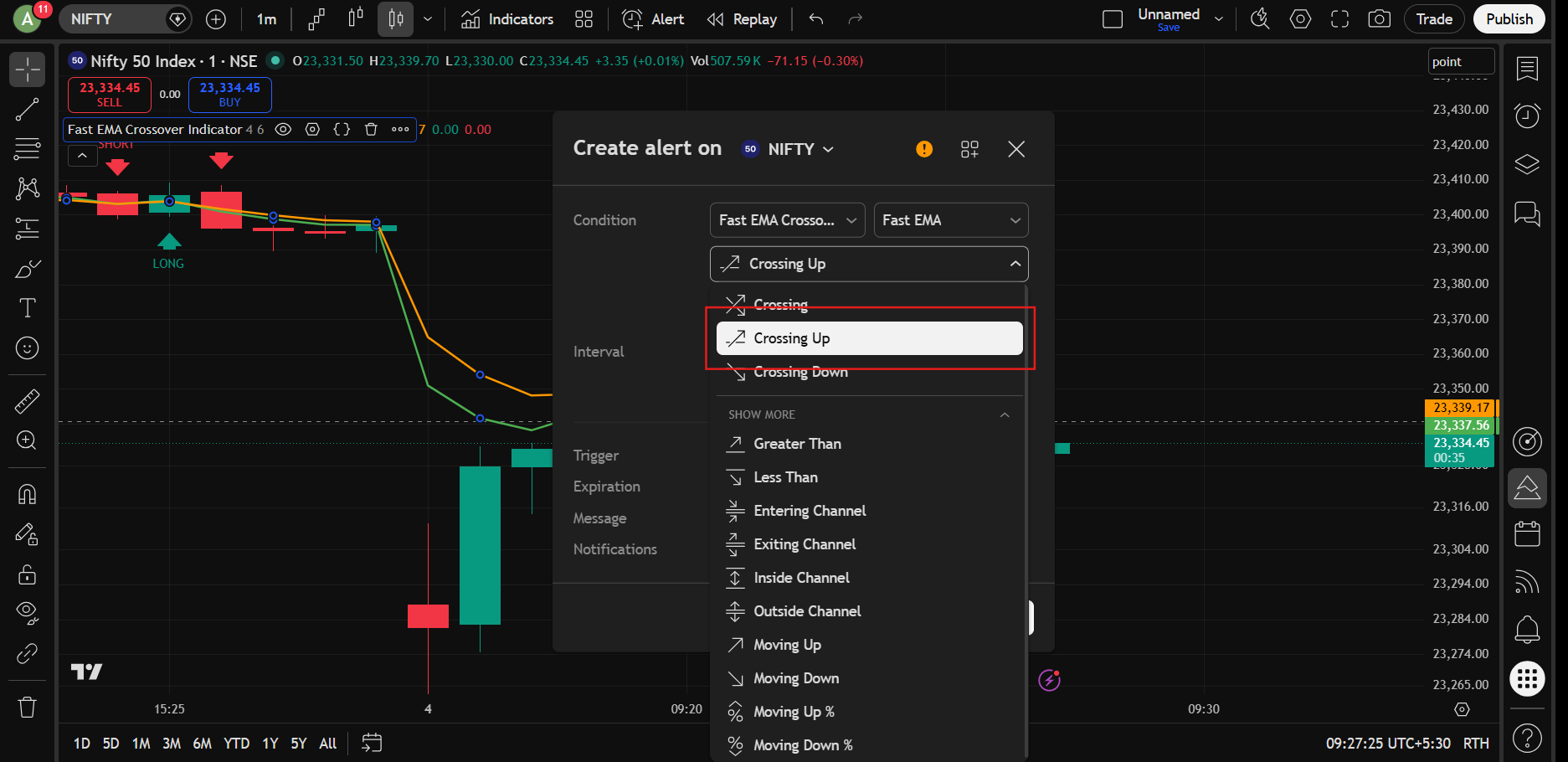
Step 6 : In the Value dropdown below, select the same indicator.
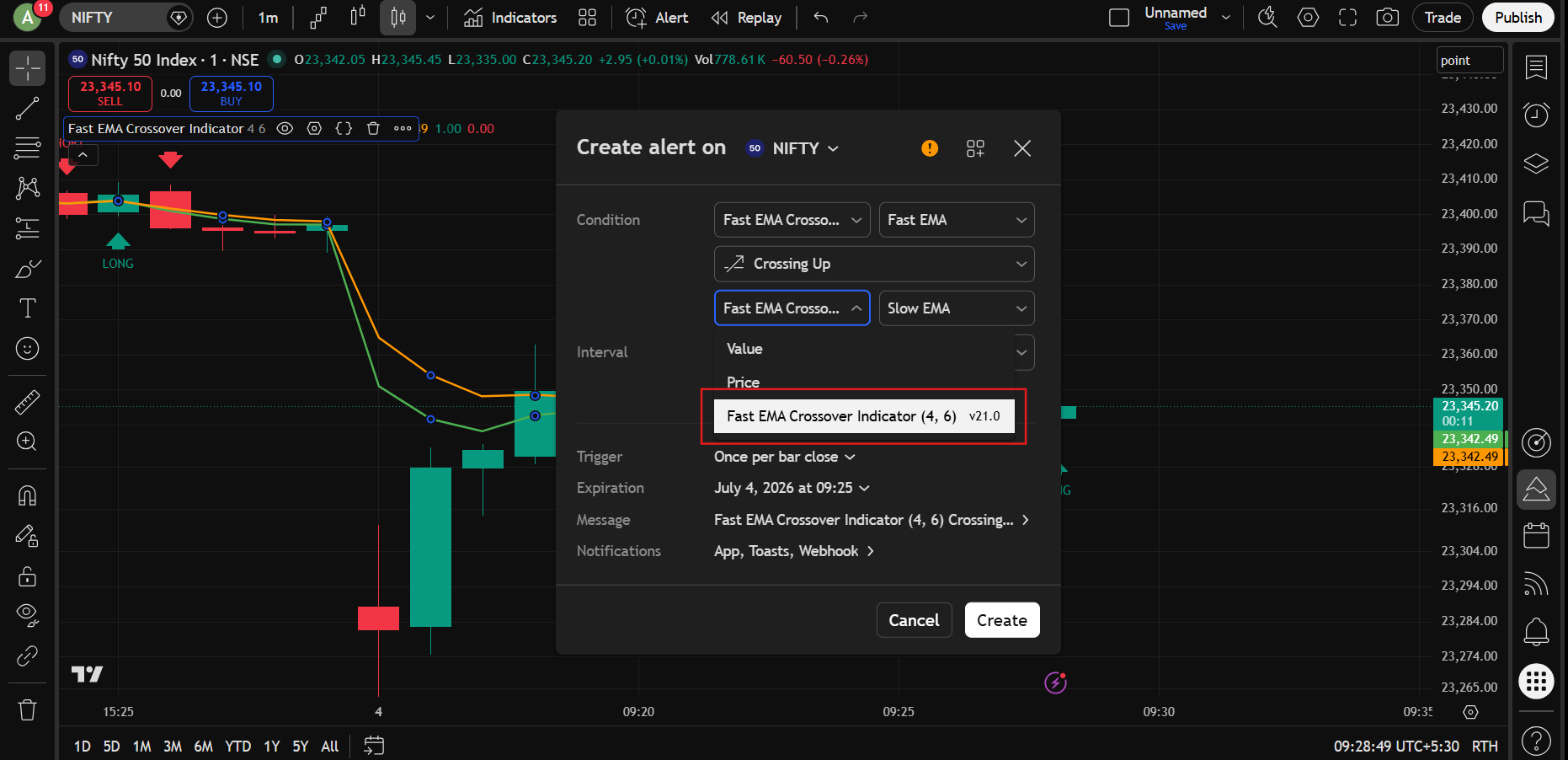
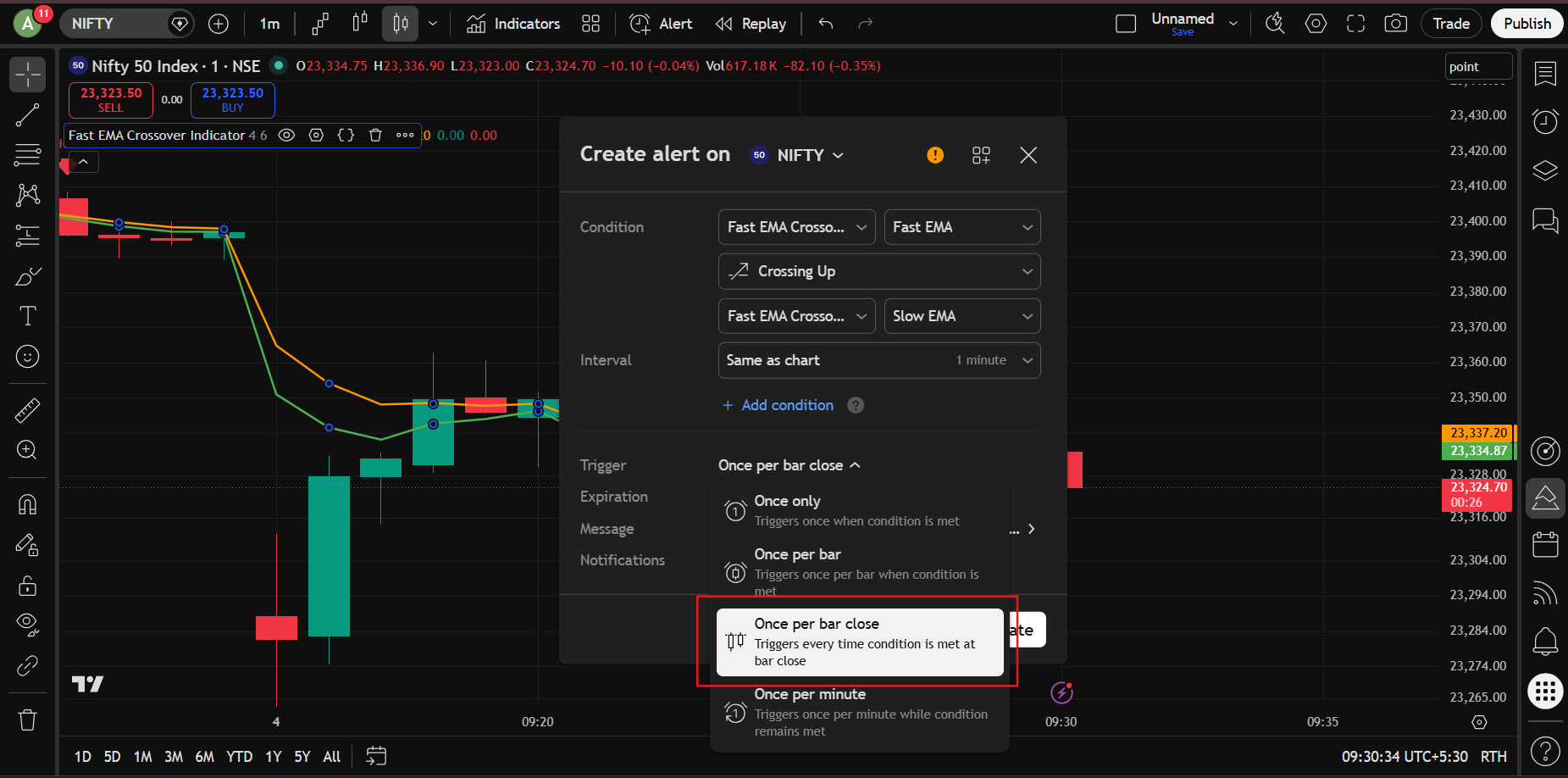
Step 7 : In the Trigger option, select: Once Per Bar Close :
This is generally recommended to avoid false signals.
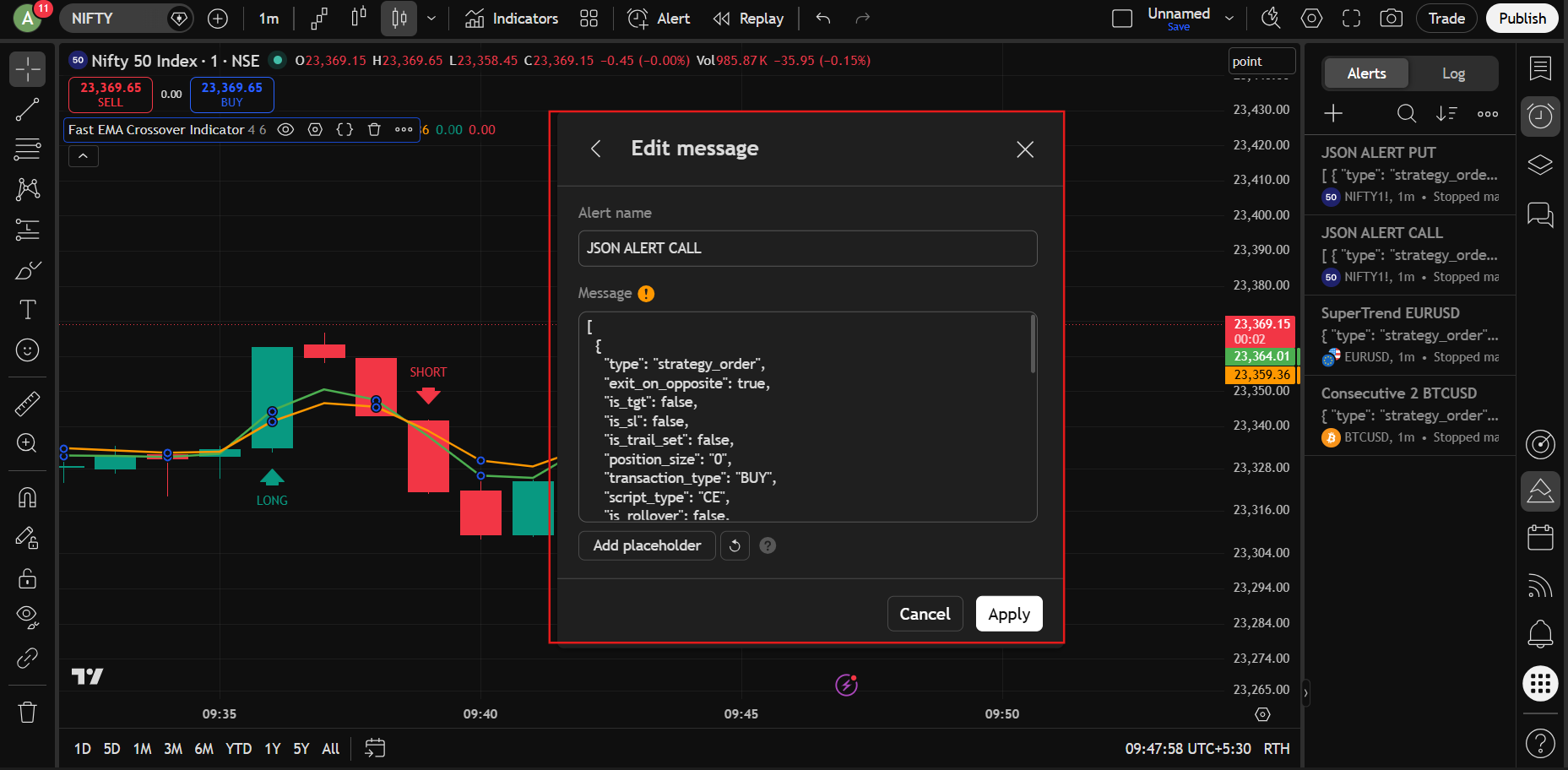
Step 8 : Give any alert name you want.
In the Message section, paste the JSON syntax generated from the JSON Bridge. Click Apply.
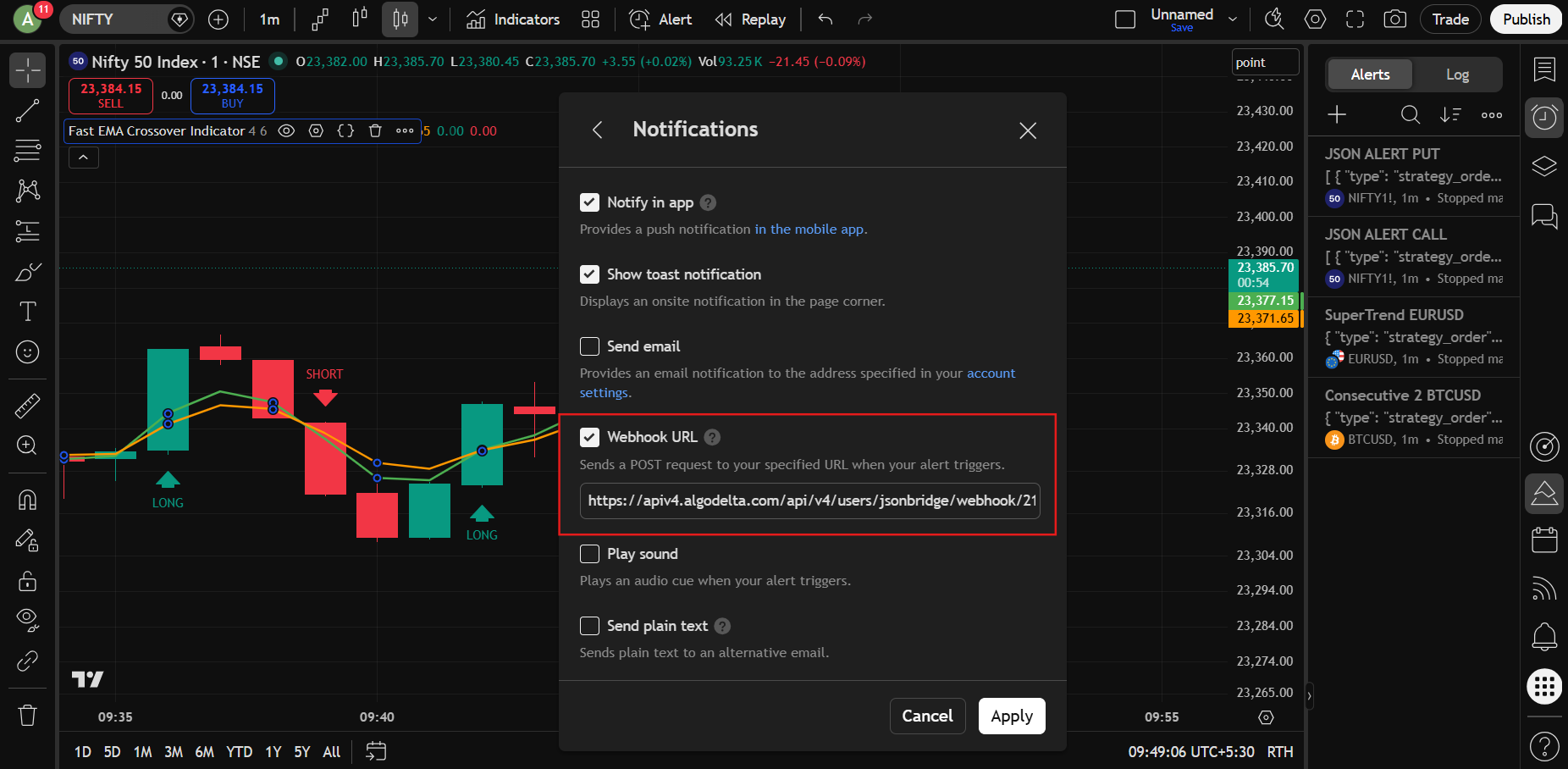
Step 9 : Open the Notifications section.
- Enable Webhook URL
- Paste the webhook URL copied from the JSON Bridge
Then click Create
Step 10 : Now create a second alert.
Keep everything exactly the same except:
Crossing Up
should be changed to:
Crossing Down
This will become your SHORT signal alert.
That’s it.
Now:
- When the indicator generates a LONG signal → Futures BUY order will be placed
- When the indicator generates a SHORT signal → Futures SELL order will be placed



