Don’t worry sir, the setup is quite simple and only takes a few clicks.
Step 1 :
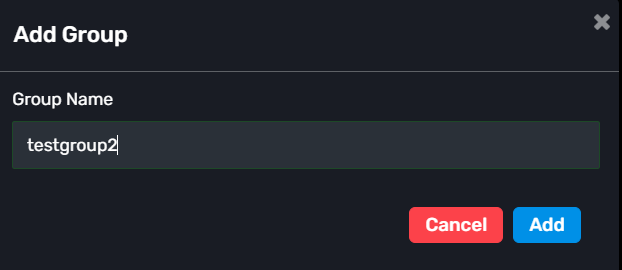
Go to the Groups section and click: “+ Add Group”
Enter any group name you want and create the group.
Step 2 :
Select a Master Account.
You can choose any connected account as the Master account.
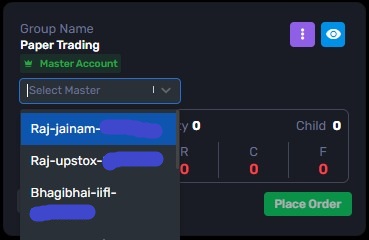
If your account is not connected yet, connect the Demat Accounts section. You can refer this blog: Connect demat account
Step 3 :
After creating the group, click on the View option (eye icon).
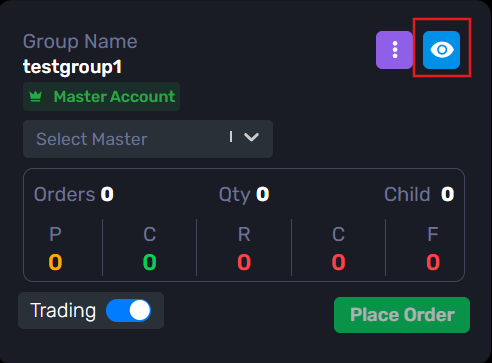
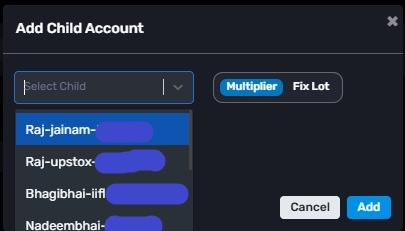
Inside the group, click: “+ Add Child”
Now select the accounts that you want to add as Child accounts.
You can add one or multiple child accounts.
Step 4 :
Save the changes.
That’s it.
Now whenever you use this group in features like:
-Order Manager
-JSON Bridge
-Custom Bridge
the trades will automatically be executed in all the child accounts connected to that group.
-> In simple terms, the Master account manages the setup, and the actual orders are placed in the Child accounts linked to the group.



