โœ–

Home Forums Trading view How to connect the JSON Bridge with a TradingView strategy?

How to connect the JSON Bridge with a TradingView strategy?

  • Author
    Posts
    • ๐Ÿ“ Question Details

      I have a strategy running on the Nifty chart in TradingView.

      What I want is:

      • When a BUY signal comes then I have to Buy Nifty Futures
      • When a SELL signal comes then I have to Sell Nifty Futures

      I’m not sure how to connect JSON Bridge with my TradingView strategy.

      Can someone explain the complete setup process?

    • Yes, you can definitely do that with the Json bridge

      Just follow these steps:

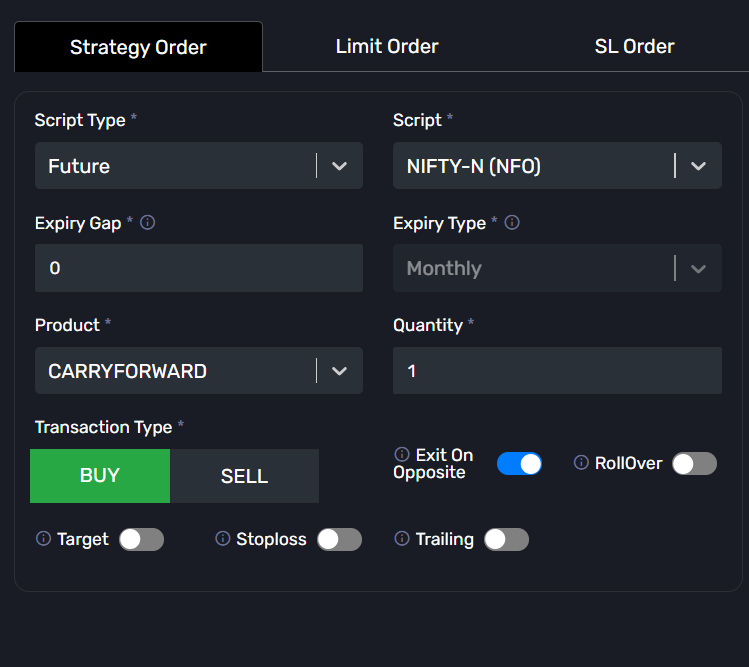
      Step 1: Go to the JSON Bridge page and click: Generate Syntax
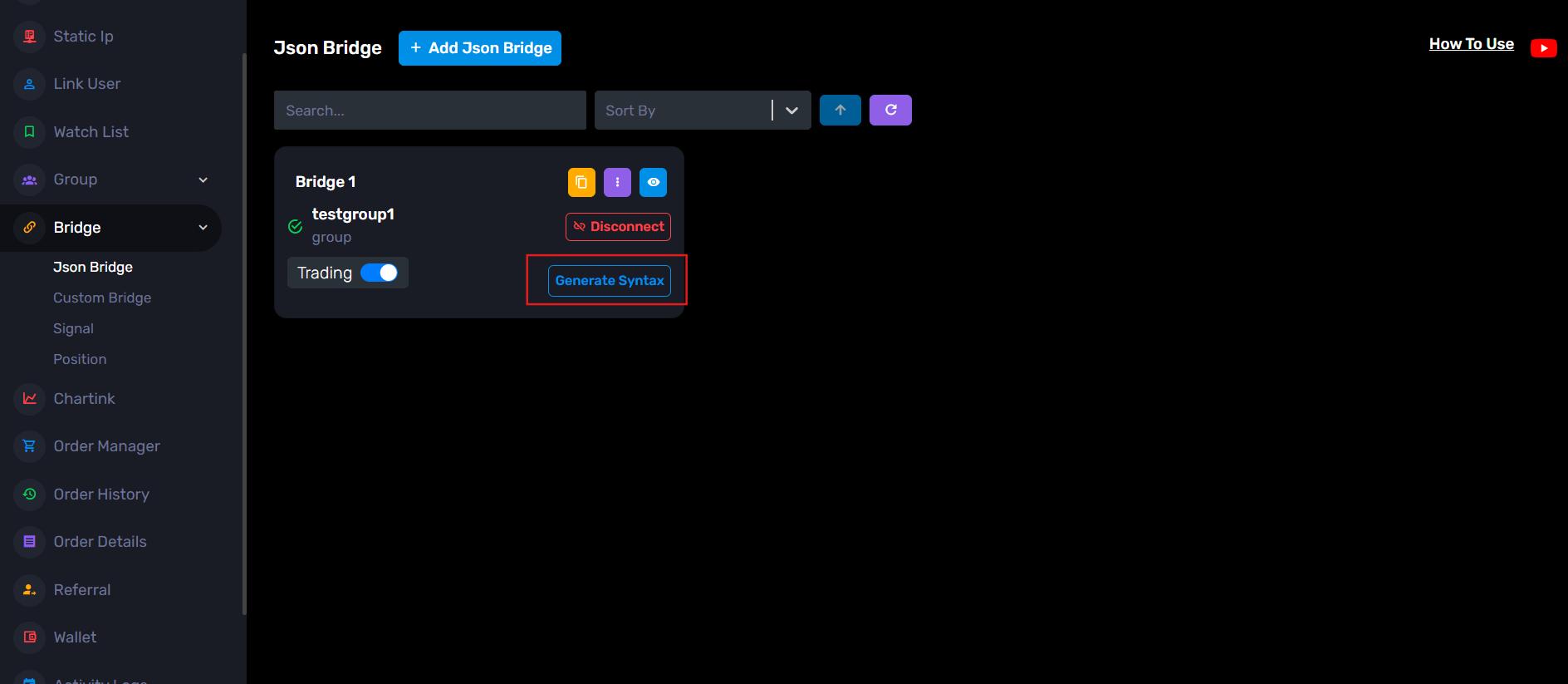
      Step 2:ย  Configure your trade settings.

      Example:

        <li style=”font-weight: 400;” aria-level=”1″>Order Type: Strategy Order
        <li style=”font-weight: 400;” aria-level=”1″>Script Type: Future
        <li style=”font-weight: 400;” aria-level=”1″>Symbol: NIFTY-N (NFO)
        <li style=”font-weight: 400;” aria-level=”1″>Expiry Gap: 0
        <li style=”font-weight: 400;” aria-level=”1″>Product: Carry Forward
        <li style=”font-weight: 400;” aria-level=”1″>Quantity: 1
        <li style=”font-weight: 400;” aria-level=”1″>Transaction Type: Buy / Sell

      You can also configure optional settings like:

        <li style=”font-weight: 400;” aria-level=”1″>Exit on Opposite
        <li style=”font-weight: 400;” aria-level=”1″>Stop Loss
        <li style=”font-weight: 400;” aria-level=”1″>Target
        <li style=”font-weight: 400;” aria-level=”1″>Rollover

      Step 3:ย  After filling the details, the JSON will be generated automatically on the right side.

      Copy that JSON.
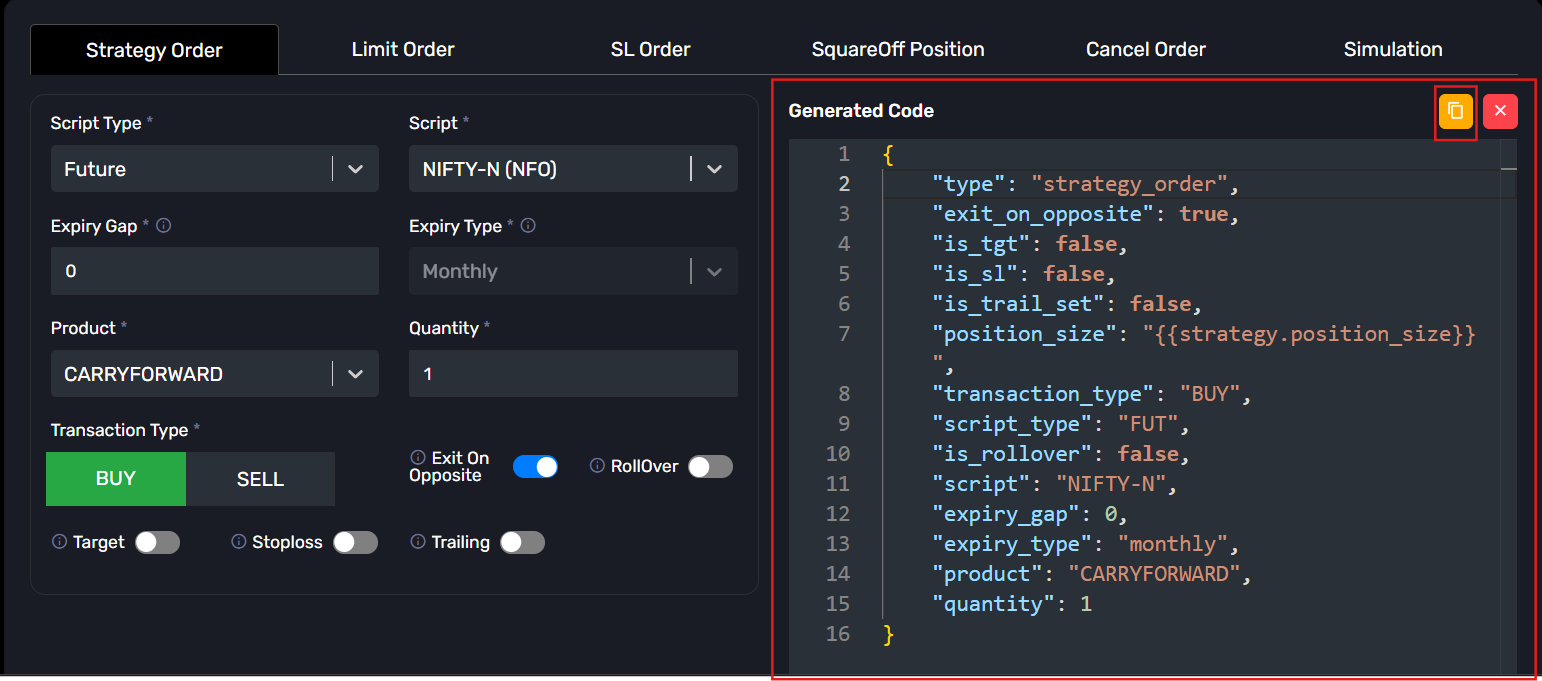
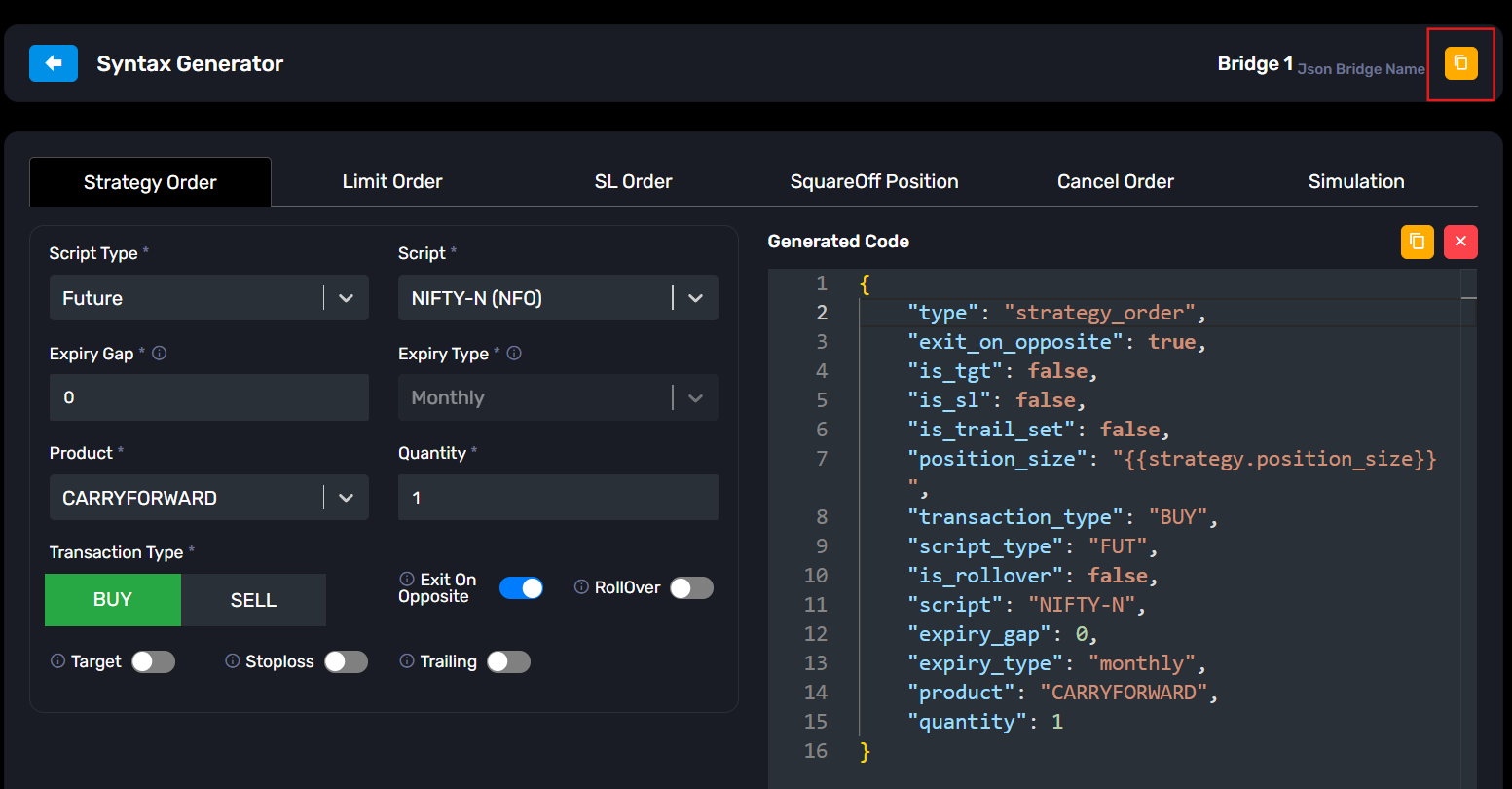
      Step 4:ย  Now copy the webhook URL from the yellow copy icon available in the JSON Bridge.
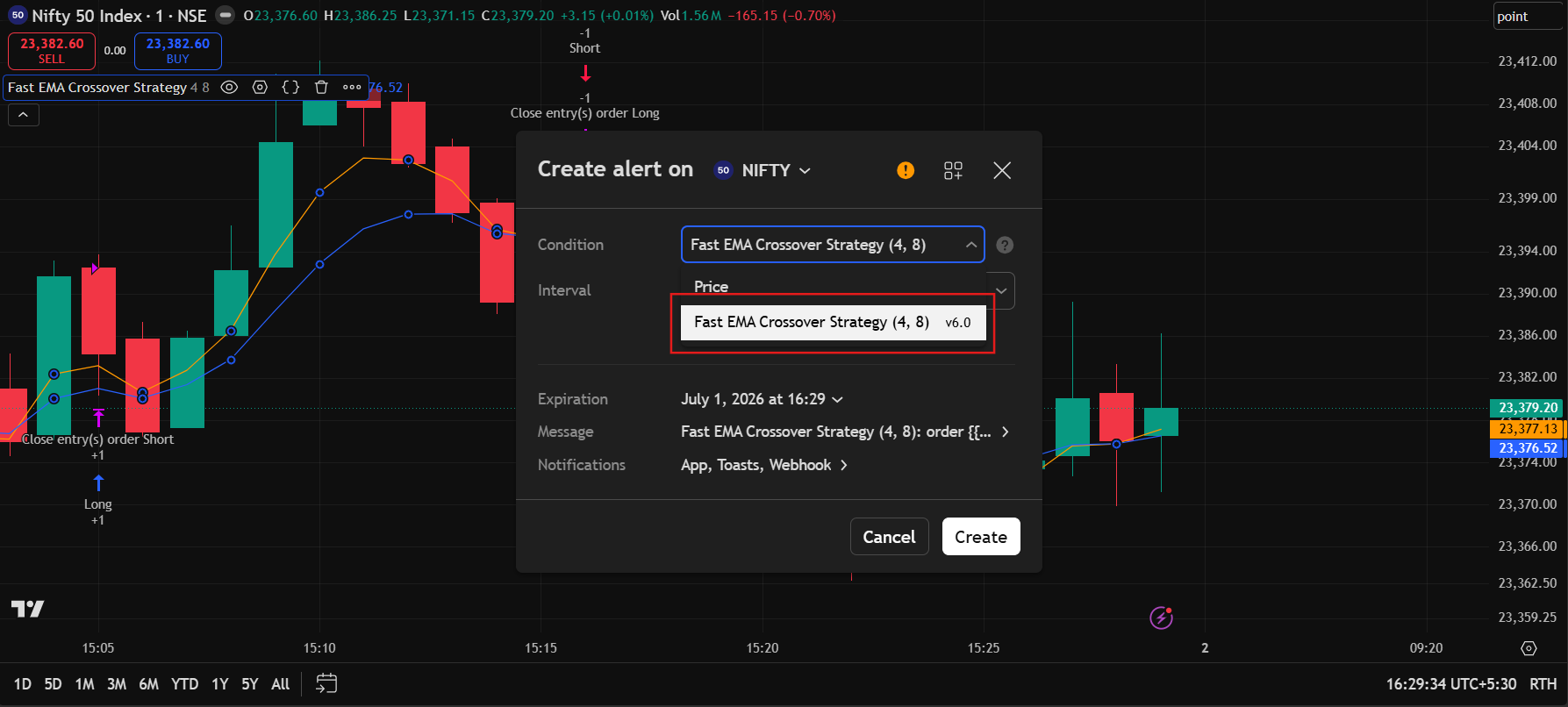
      Step 5:ย  Open TradingView and apply your strategy on the chart.

      Then create a new Alert.

      In the <b>Condition</b> dropdown, select your strategy.

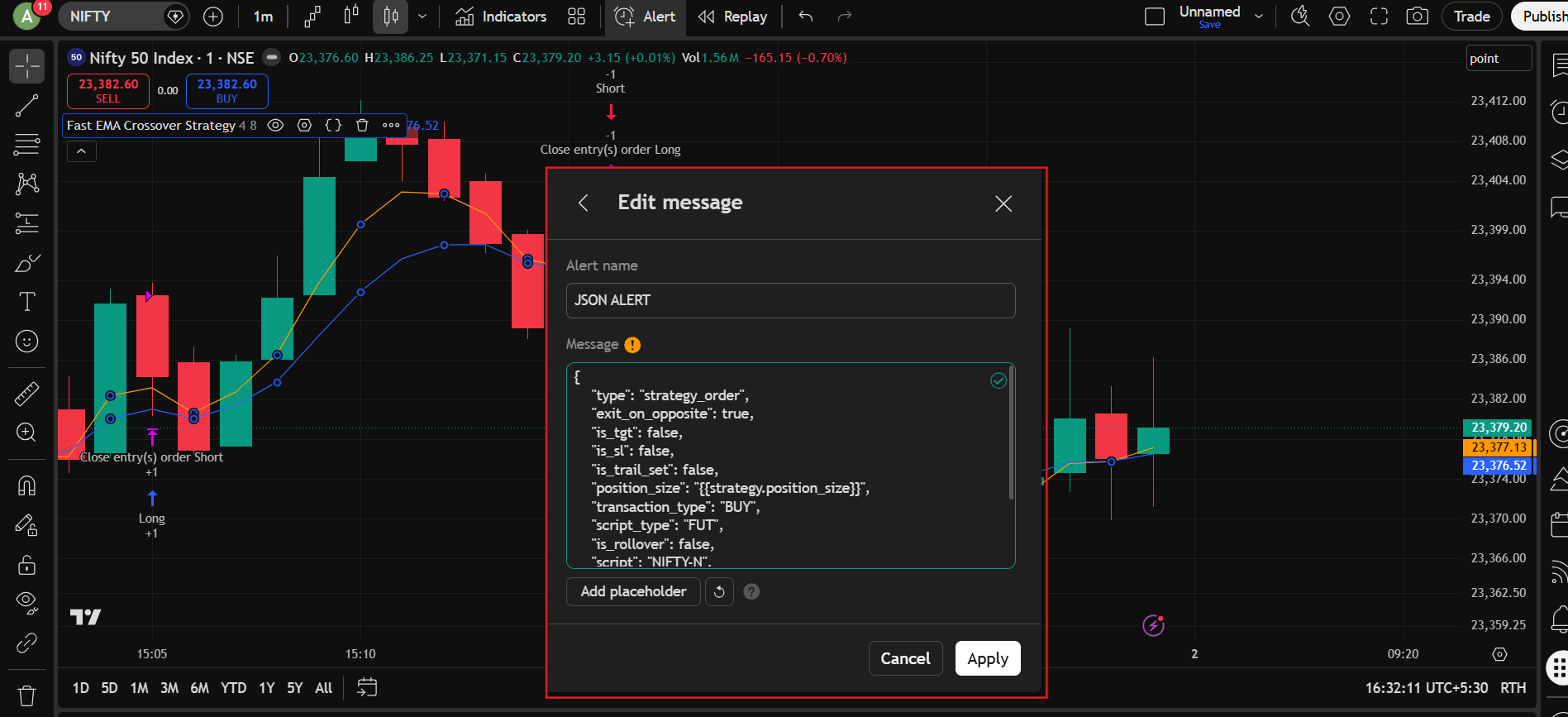
      Step 6:ย  Go to the message section:

      Give any alert name, for example: JSON ALERT

      Now paste the copied JSON into the <b>Message</b> section.

      Click Apply.

      Step 7: Go to the <b>Notifications</b> section.

        <li style=”font-weight: 400;” aria-level=”1″>Enable <b>Webhook URL</b>
        <li style=”font-weight: 400;” aria-level=”1″>Paste the webhook URL copied from the JSON Bridge

      Then click Apply.
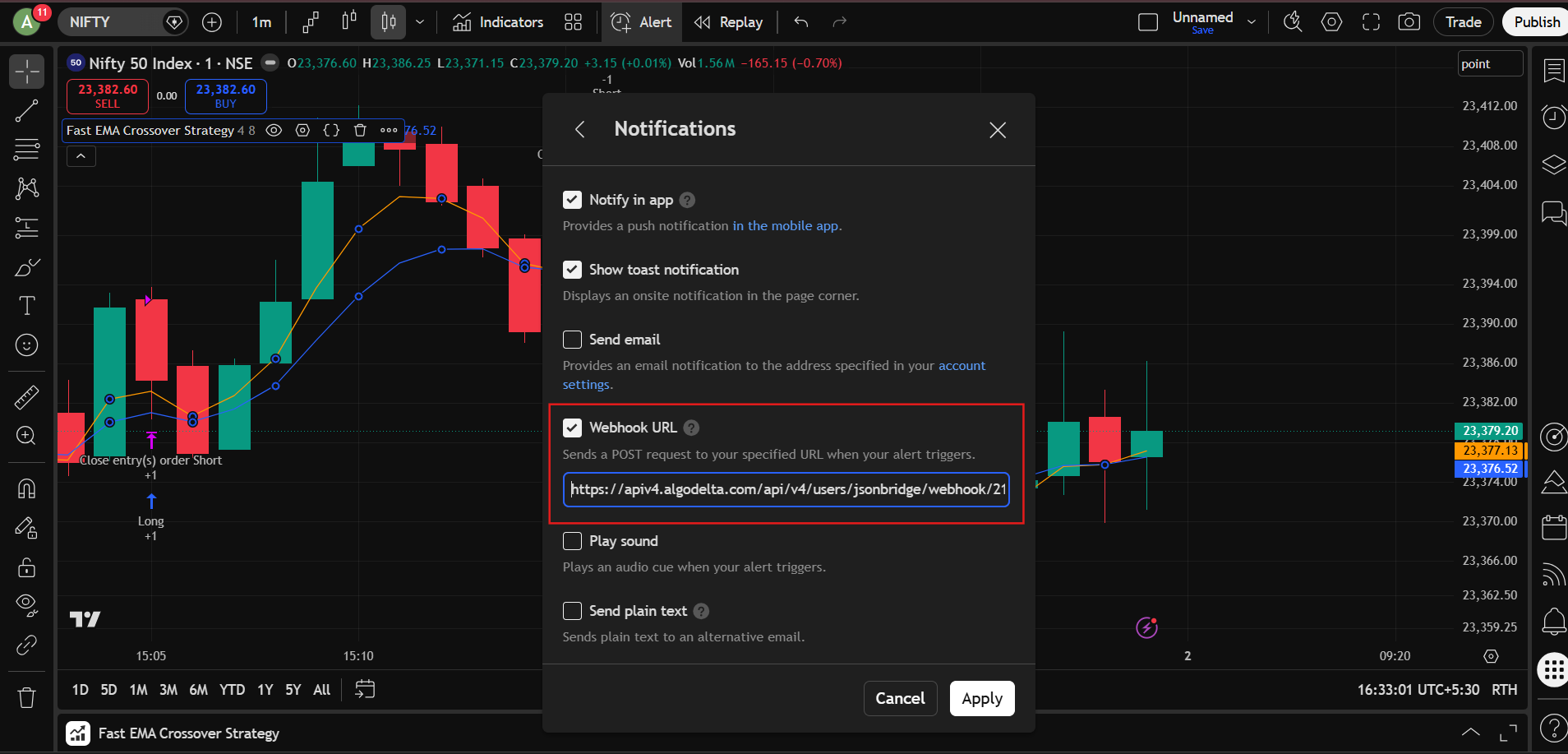
      That’s it.

      Now whenever:ย 

      BUY signal comes from your strategy -> Nifty Future BUY order will be placed.

      SELL signal comes from your strategy -> Nifty Future SELL order will be placed.

Viewing 1 reply thread
×

Start a Discussion

Get help from the AlgoDelta community.

×

Welcome Back!

Enter your email to sign in or create an account. No passwords needed.

โณ

Pending Approval

โš ๏ธ

Delete This?

Are you sure you want to delete this? This action is permanent and cannot be undone.

Scroll to Top