βœ–

Home Forums Demat Connection How to Update PIN, Password, and Other Details of an Existing Broker Account in AlgoDelta?

How to Update PIN, Password, and Other Details of an Existing Broker Account in AlgoDelta?

  • Author
    Posts
    • I have already added 57 broker accounts in AlgoDelta. I recently changed the PIN for one of my Angel One accounts from the broker side, and I also want to update the account name in AlgoDelta. How can I update the PIN and account name?

    • If you want to update the PIN, password, or any other details of an account already added to AlgoDelta, follow the steps below.

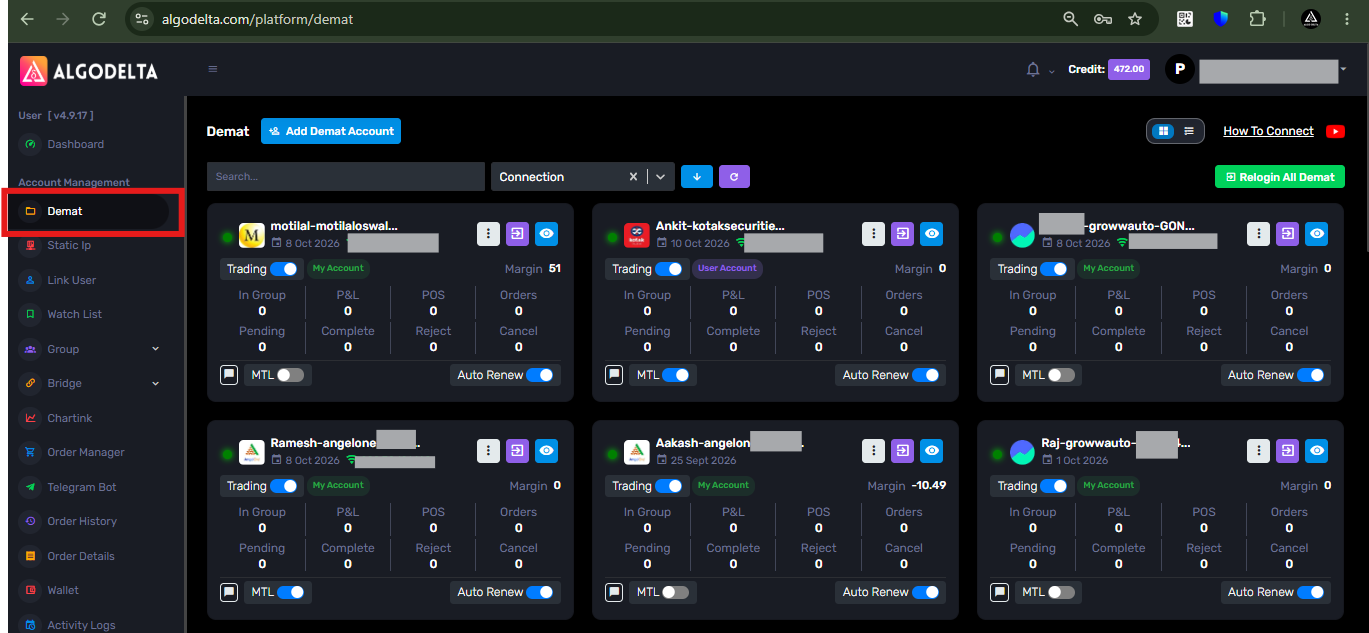
      1 ) First, go to the β€œDemat” tab.

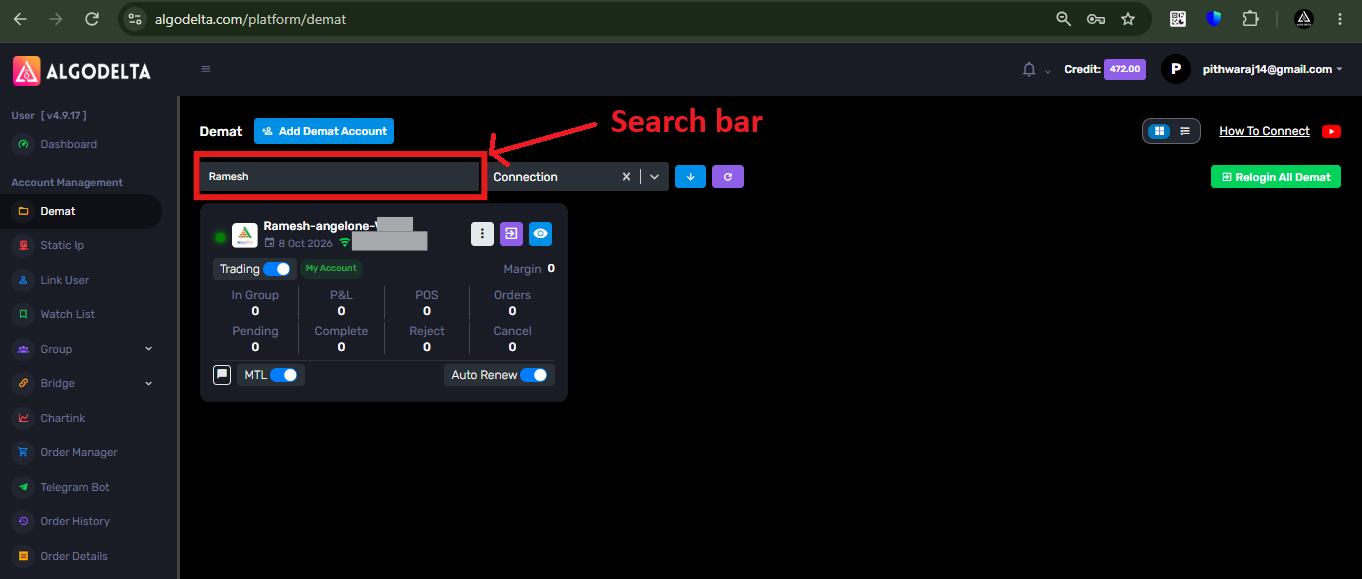
      2 ) Then, in the search bar, enter your account name, such as β€œRamesh,” β€œSuresh,” or β€œAnkit,” or enter the Client ID of that account.
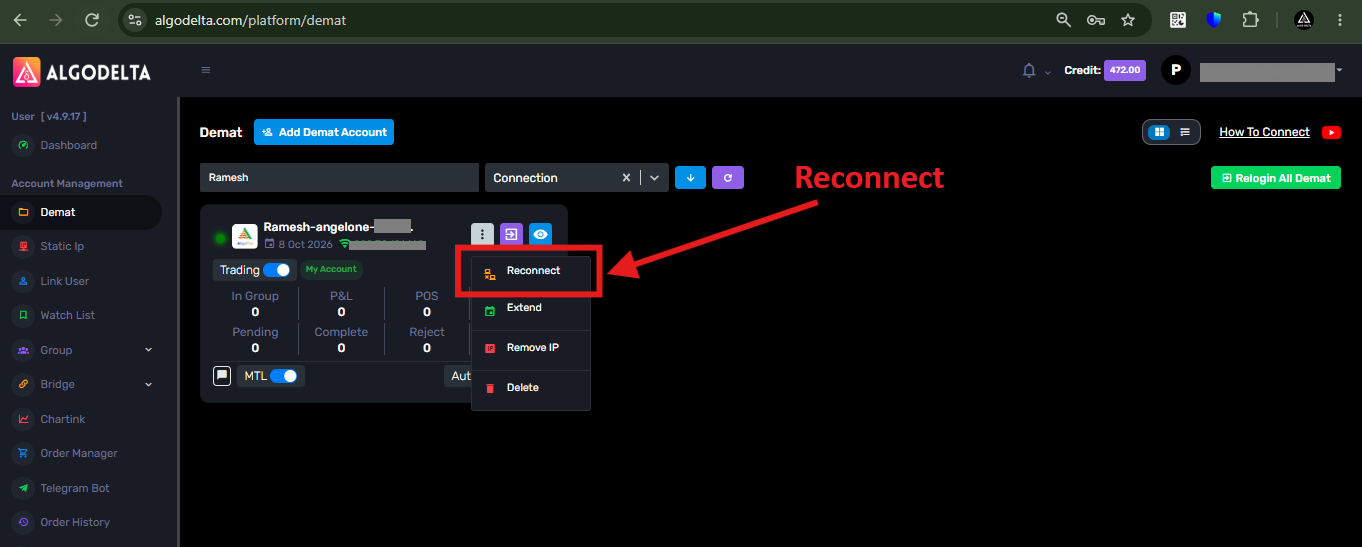
      3 ) Then, click on the white three-dot button.
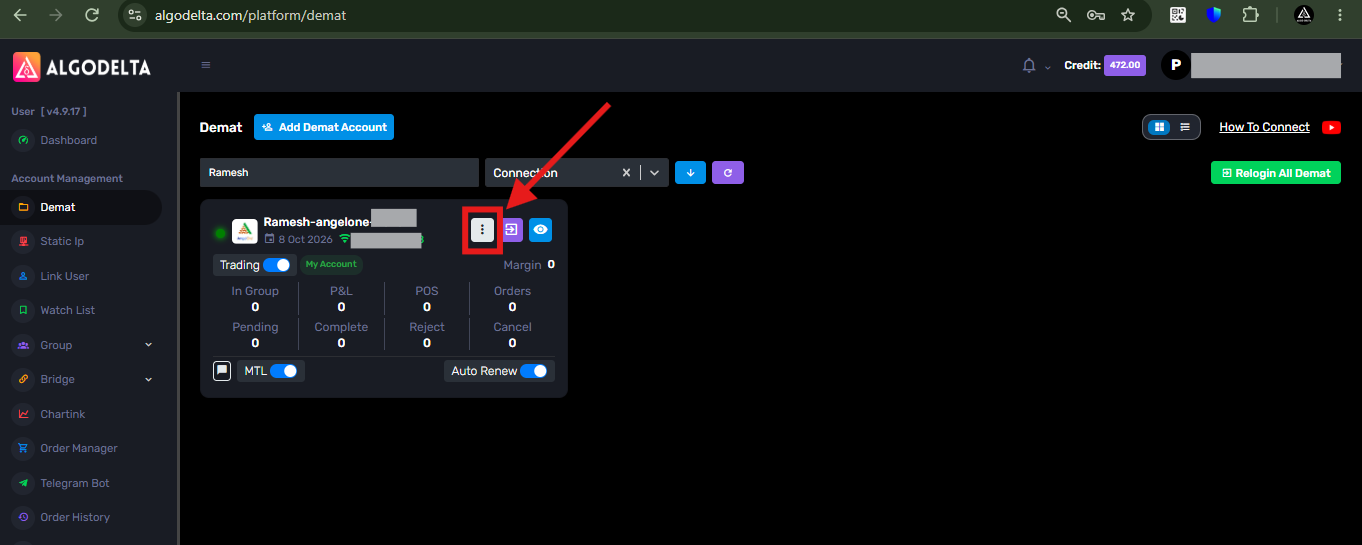
      4 ) Then, click on the β€œReconnect” option.

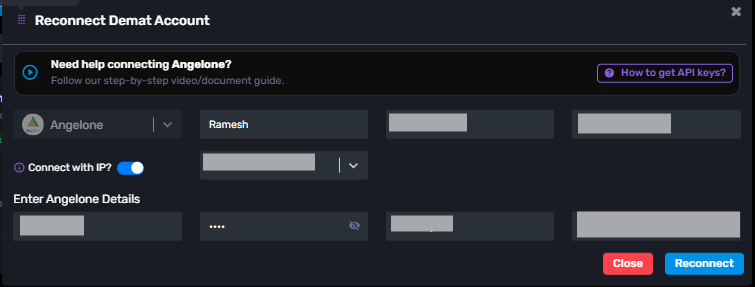
      5 ) Now, you will see a pop-up like the one shown in the screenshot below. You can update the required details and then click the β€œReconnect” button.

Viewing 1 reply thread
×

Start a Discussion

Get help from the AlgoDelta community.

×

Welcome Back!

Enter your email to sign in or create an account. No passwords needed.

⚠️

Delete This?

Are you sure you want to delete this? This action is permanent and cannot be undone.

Scroll to Top