Yes sir, you can do this using the JSON Bridge.
Since your indicator generates separate Buy, Sell and Exit signals, you will have to create three different JSON syntaxes and configure three different TradingView alerts.
Let’s take an equity example such as Reliance.
-Step 1: Create the Buy-side JSON
First, create the JSON Bridge configuration for the Buy order.
For example, configure it to Buy Reliance equity and generate the JSON syntax.
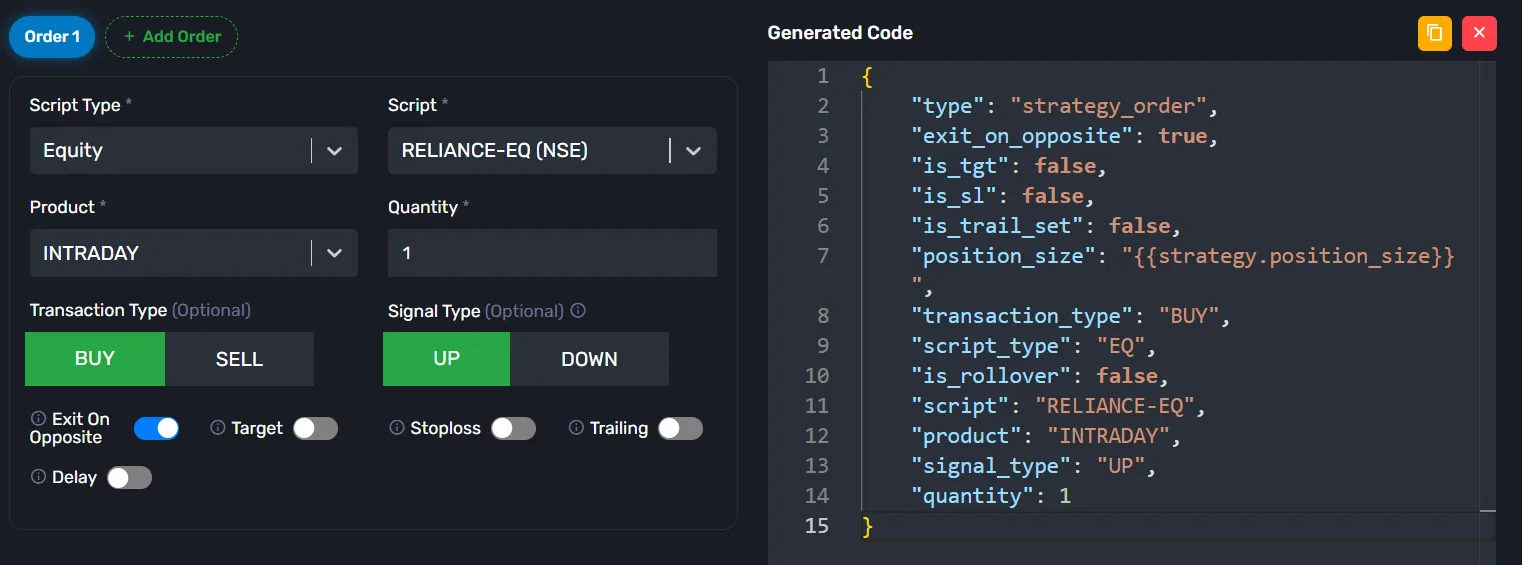
Copy and save this JSON syntax and save it somewhere. We will use it in the Buy alert.
-Step 2: Create the Sell-side JSON
Now create another JSON Bridge configuration for the Sell order.
Configure the transaction type as SELL and generate the JSON syntax.
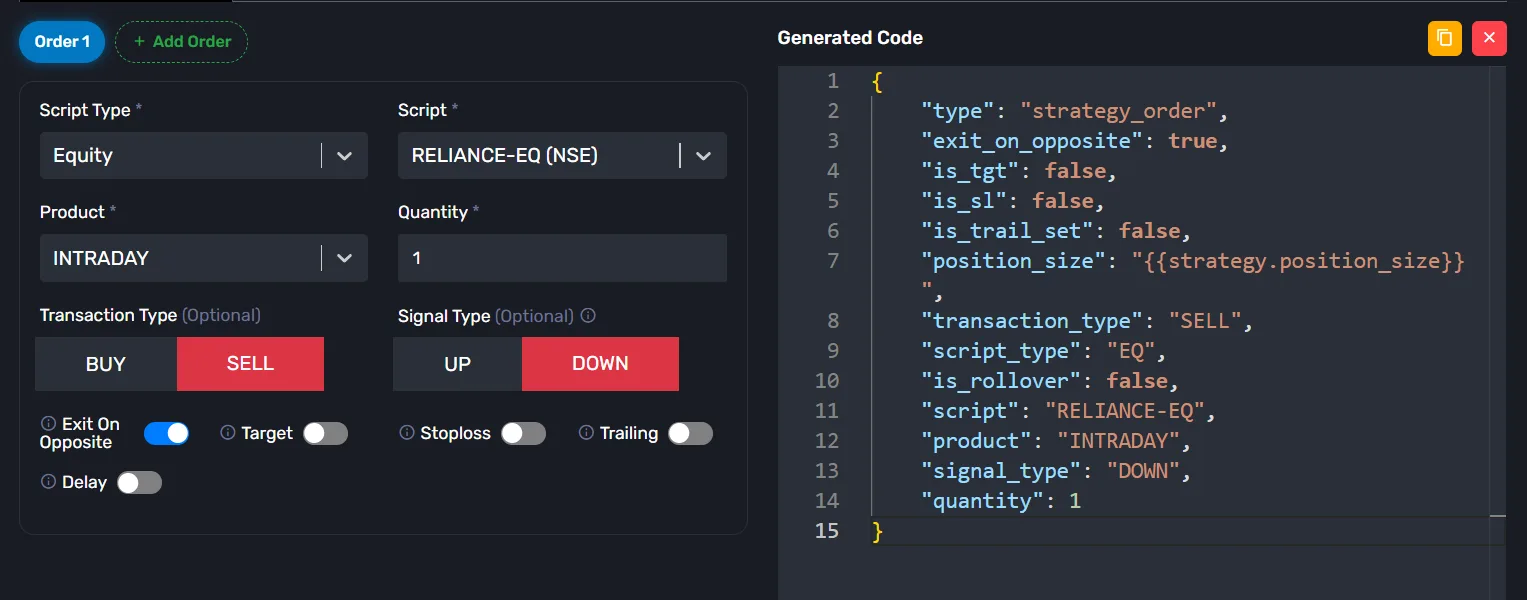
Copy and save this JSON syntax for the Sell alert somewhere.
-Step 3: Create the Exit JSON
Now create a separate JSON Bridge configuration for the Exit order.
Configure it according to your exit requirement and copy the generated JSON syntax.
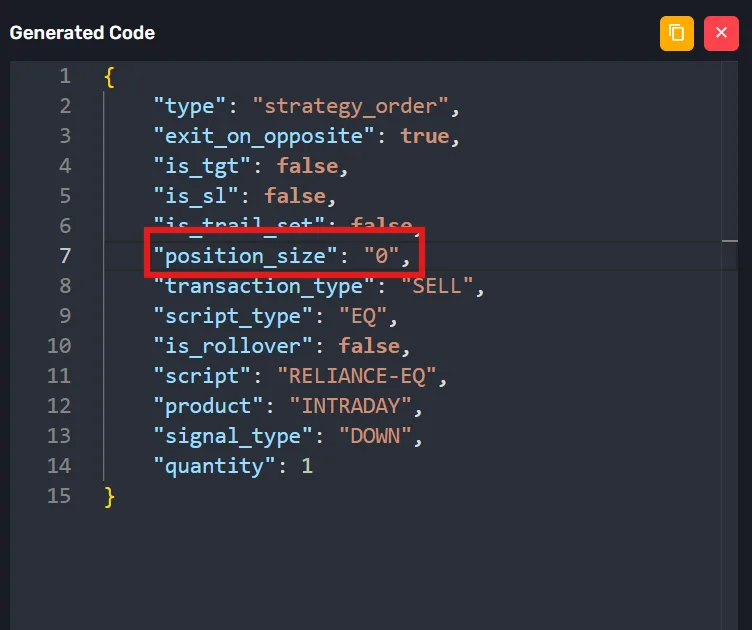
Note : In above syntax we will have the "position_size": "0" when AlgoDelta get this then it square-off all the open position.
Now you have three different JSON messages:
-> Buy JSON
-> Sell JSON
-> Exit JSON
-Step 4: Configure the TradingView alerts
Since the indicator generates three different signals, create three separate alerts in TradingView.
Buy Alert
-> Select the Buy condition from your indicator.
-> Paste the Buy-side JSON in the Message field.
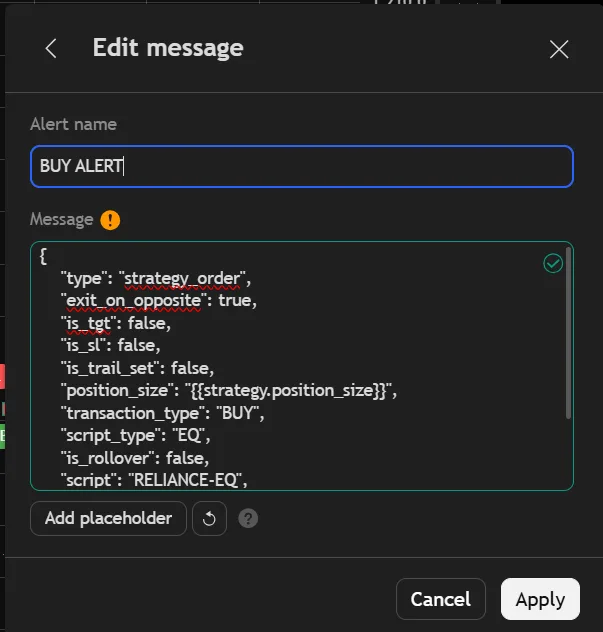
-> Add the JSON Bridge Webhook URL.
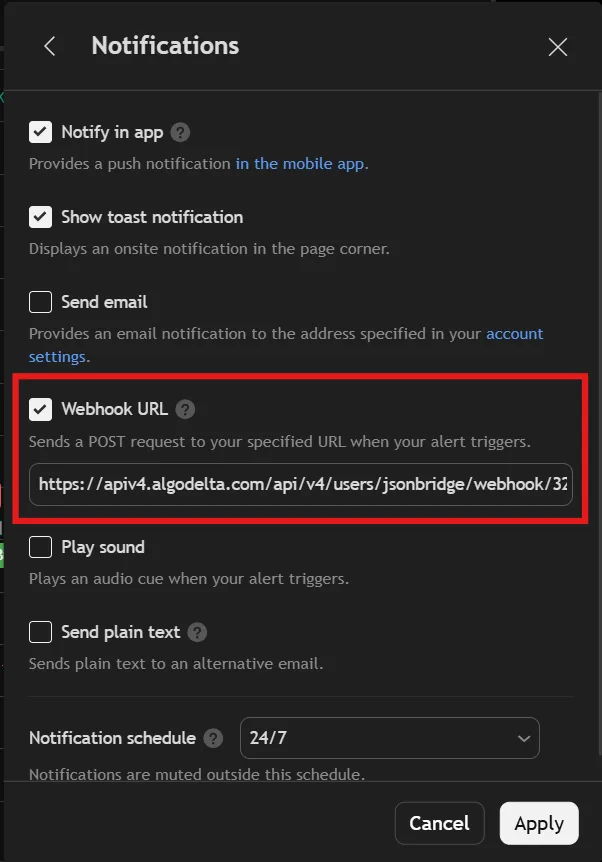
Sell Alert
-> Select the Sell condition from your indicator.
-> Paste the Sell-side JSON in the Message field.
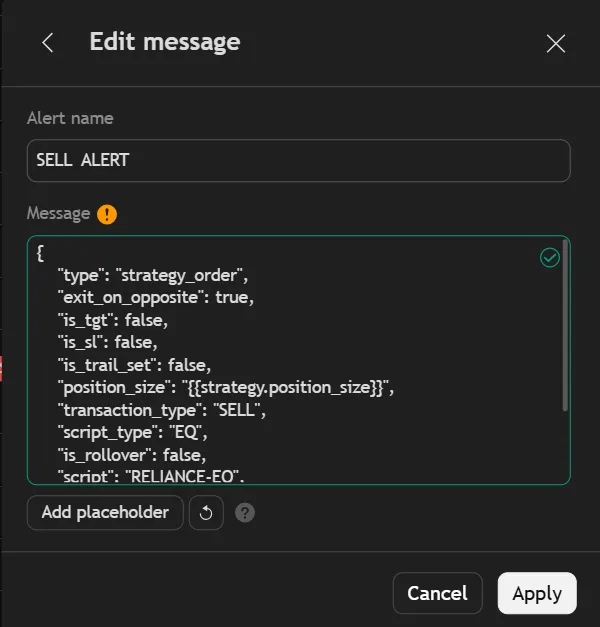
-> Add the JSON Bridge Webhook URL.
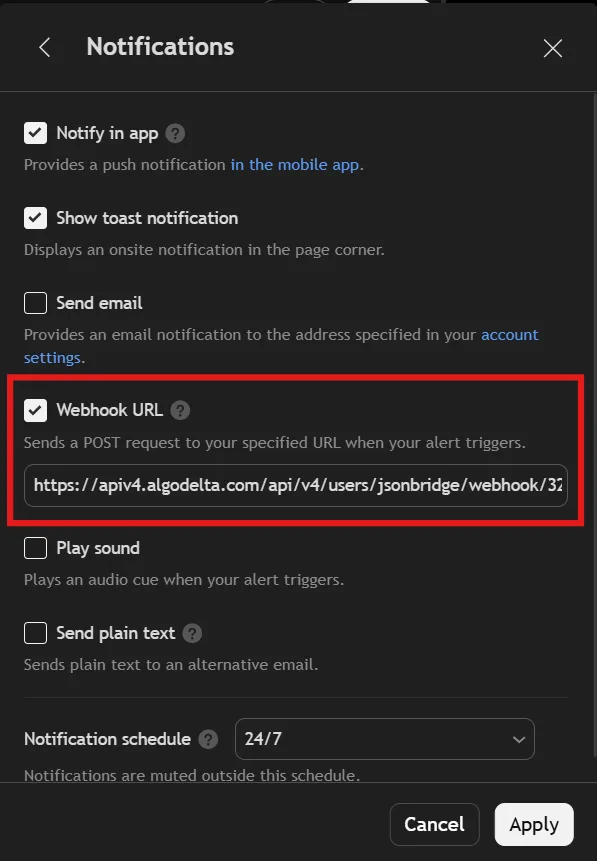
Exit Alert
-> Select the Exit condition from your indicator.
-> Paste the Exit JSON in the Message field.
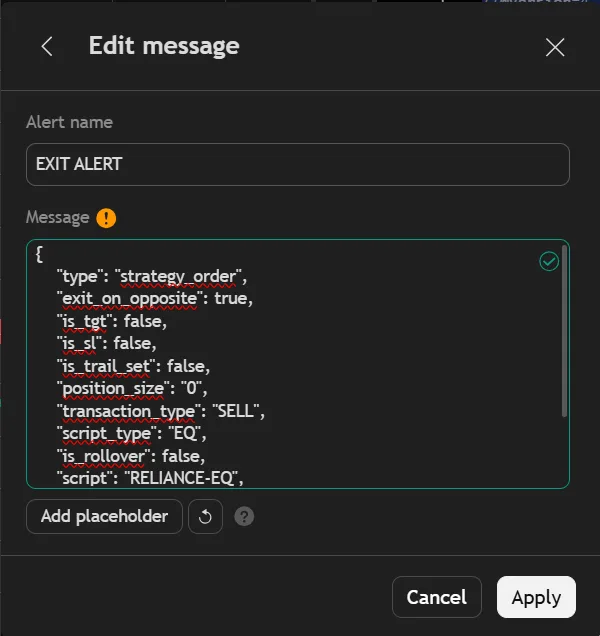
-> Add the JSON Bridge Webhook URL.
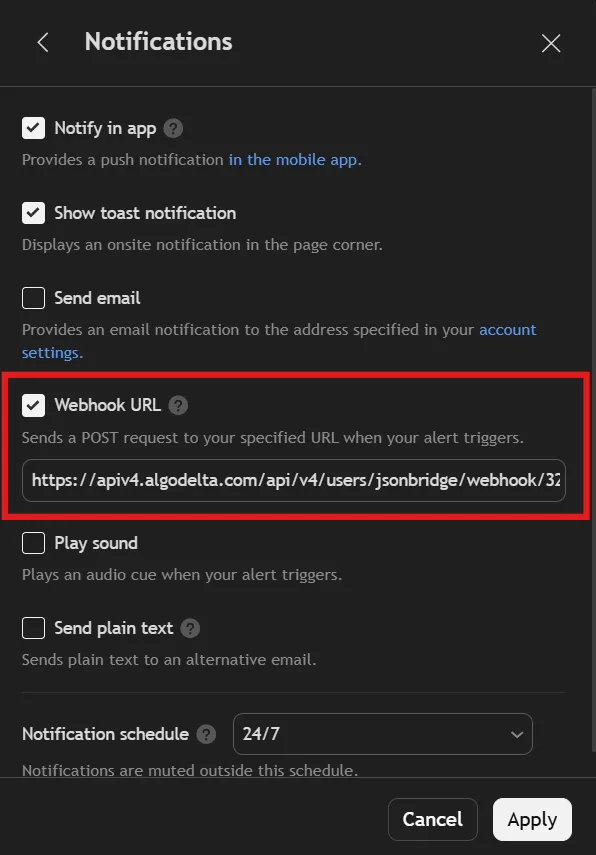
Now the flow will be:
Buy Signal
-> Buy Alert
-> Buy JSON
-> AlgoDelta receives the message
-> Buy order is executed
Sell Signal
-> Sell Alert
-> Sell JSON
-> AlgoDelta receives the message
-> Sell order is executed
Exit Signal
-> Exit Alert
-> Exit JSON
-> AlgoDelta receives the message
-> Existing position is exited
For the exit-on-opposite requirement, you can configure the required opposite-position exit logic in the respective JSON Bridge setup.
So, when working with a TradingView indicator that generates separate Buy, Sell and Exit signals, the recommended approach is to create three JSON syntaxes and three corresponding TradingView alerts.