Yes, absolutely sir.
For this use case, you should use the Order Manager feature.
Let’s take an example with two trades:
– Reliance Future
-Adani Power Future
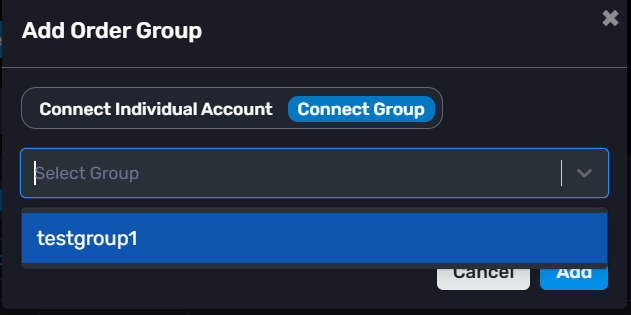
Step 1 : Open Order Manager and click: “+ Add Order Group”
Select your group from the dropdown and create the first order group.
If required, create another order Manager Group in the same way.
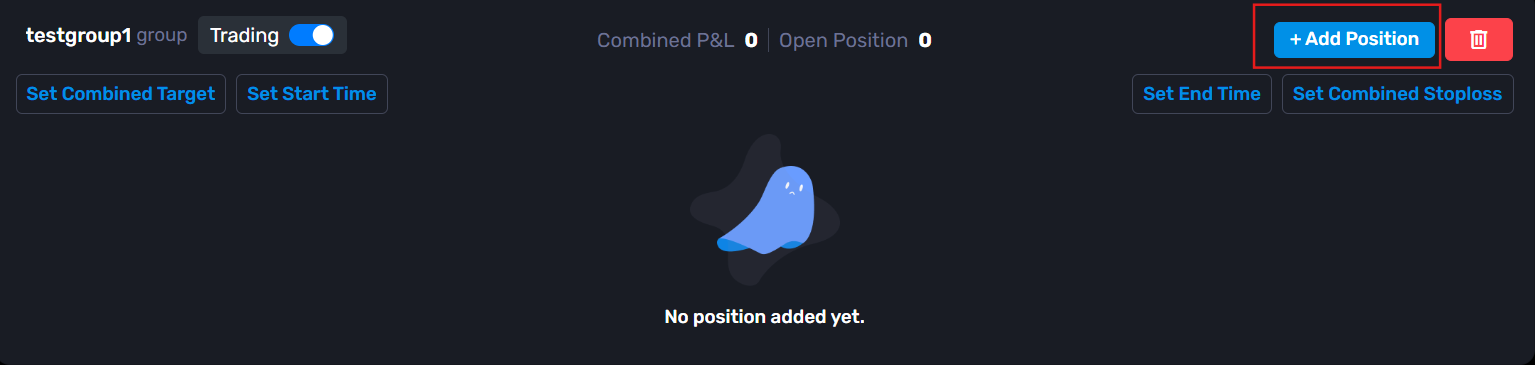
Step 2 : Inside the order manager group, click: “+ Add Position”
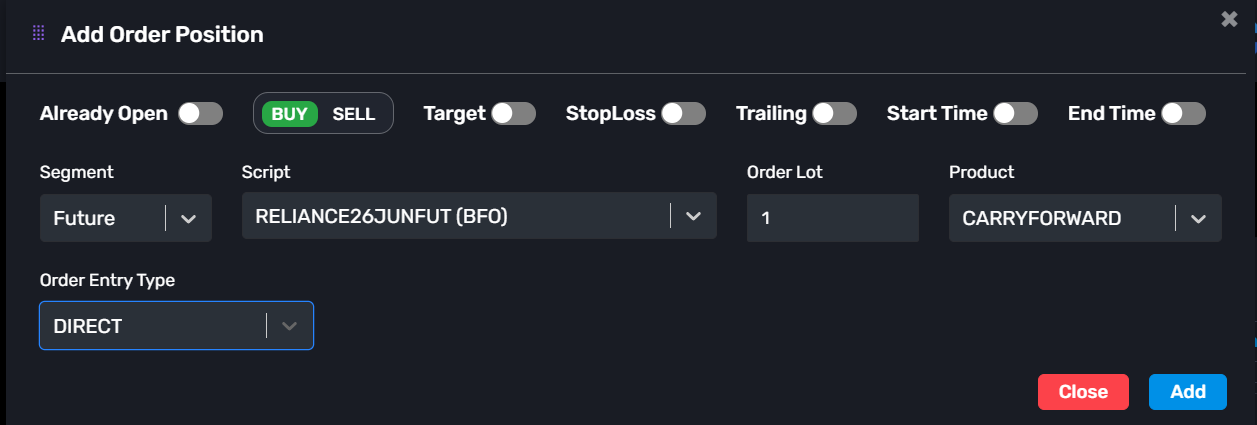
Step 3 : Configure the first position.
Example:
-Already Open: Disable
-Transaction Type: Buy
-Segment: Future
-Script: RELIANCE26JUNFUT
-Order Lot: 1
-Product: Carry Forward
-Order Entry Type: Direct
-> You can also configure:
-Target
-Stop Loss
-Trailing Stop Loss
-Start Time
-End Time
Then click Add.
Step 4 :
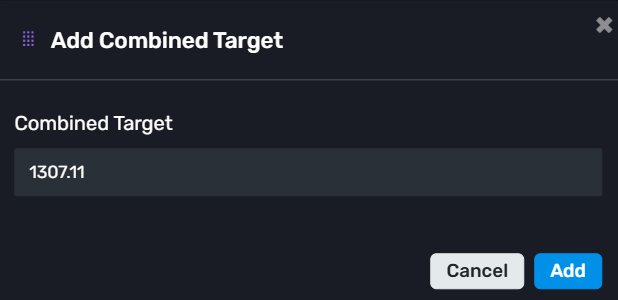
Now configure the combined risk management for this group.
Click: “Set Combined Target”
Enter your target value and save.
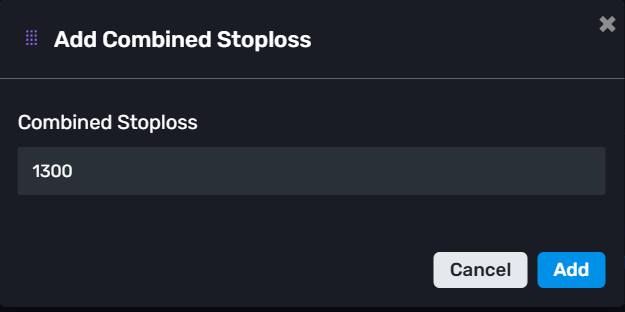
Similarly, click: “Combined Stop Loss”
Enter the stop loss value and save.
Step 5 :
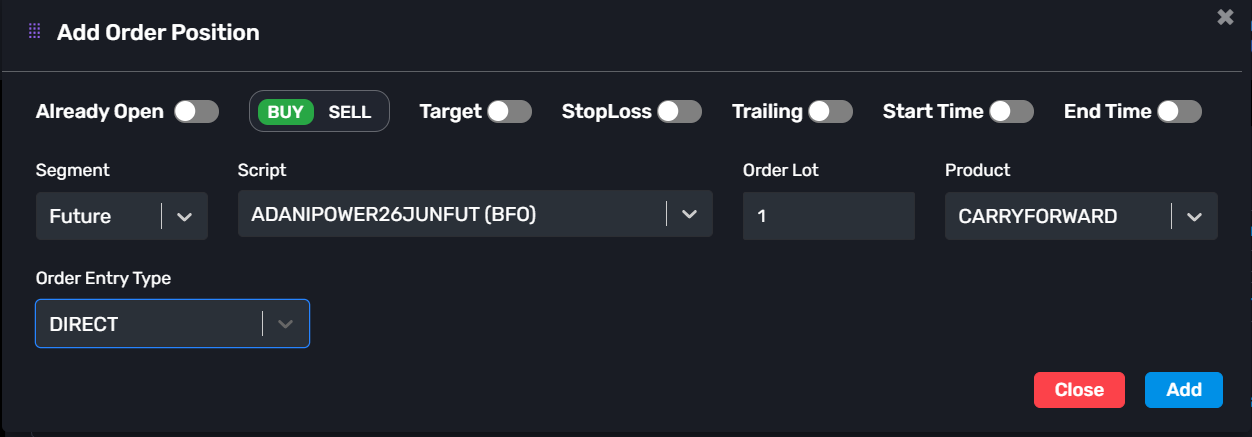
Now create another position on another order manager group for the second trade.
Example:
-Already Open: Disable
-Transaction Type: Buy
-Segment: Future
-Script: ADANIPOWER26JUNFUT
-Order Lot: 1
-Product: Carry Forward
-Order Entry Type: Direct
-> Again, configure the optional thing if you want :
-Target
-Stop Loss
-Trailing Stop Loss
-Start Time
-End Time
Then click Add.
Step 6 :
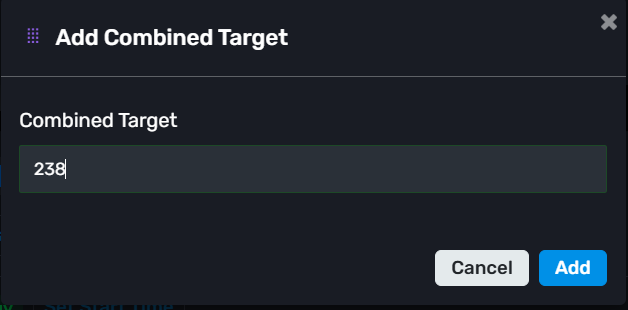
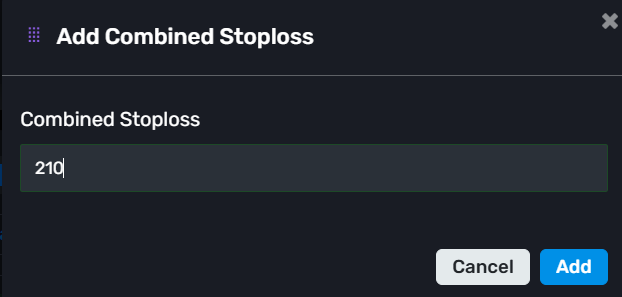
Set the Combined Target and Combined Stop Loss for this group as well, exactly like you did for the first one.
So now both order groups will work independently.
For example:
Reliance group can have its own capital, timing, SL, and Target
Adani Power group can have completely different capital, timing, SL, and Target
At the same time, orders will be executed across all child accounts connected to that group.
-> Note: Orders will only be placed in the child accounts that are linked to the main group, not on the master account. This allows you to manage different strategies and risk settings separately while still using the same AlgoDelta setup.



