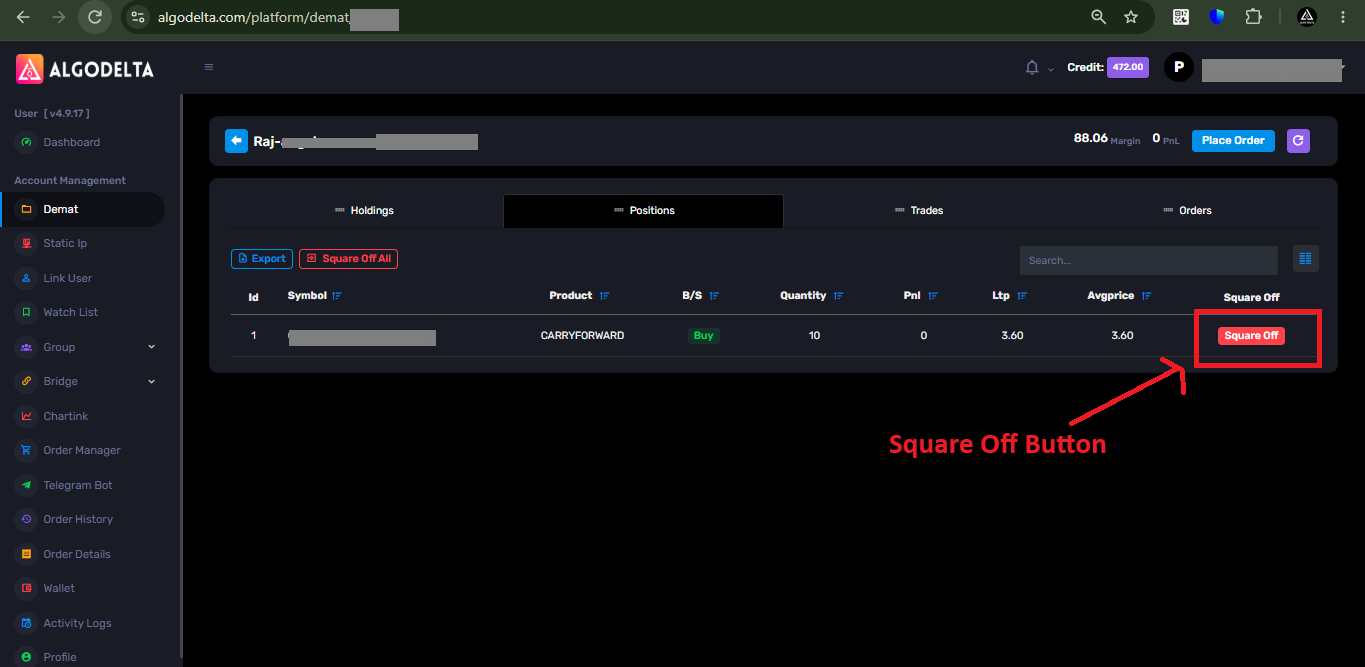
By following these simple steps, you can square off the positions of a specific account.
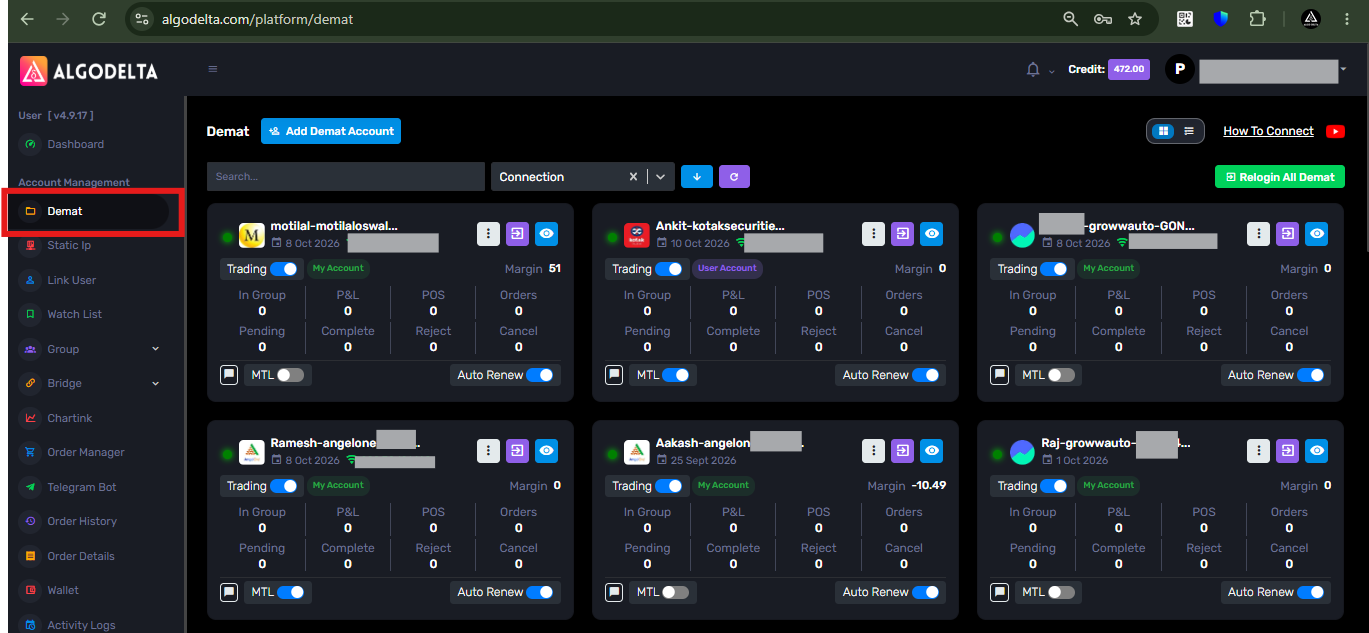
1 ) First, go to the “Demat” tab.
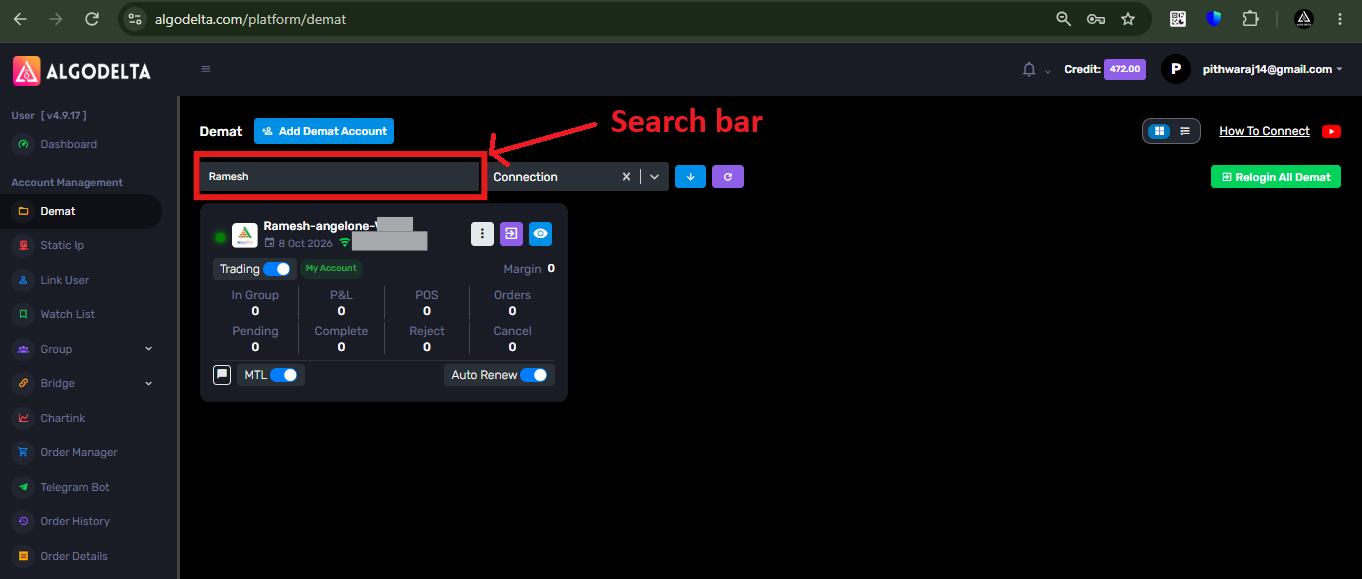
2 ) Then, in the search bar, enter your account name, such as “Ramesh,” “Suresh,” or “Ankit,” or enter the Client ID of that account.
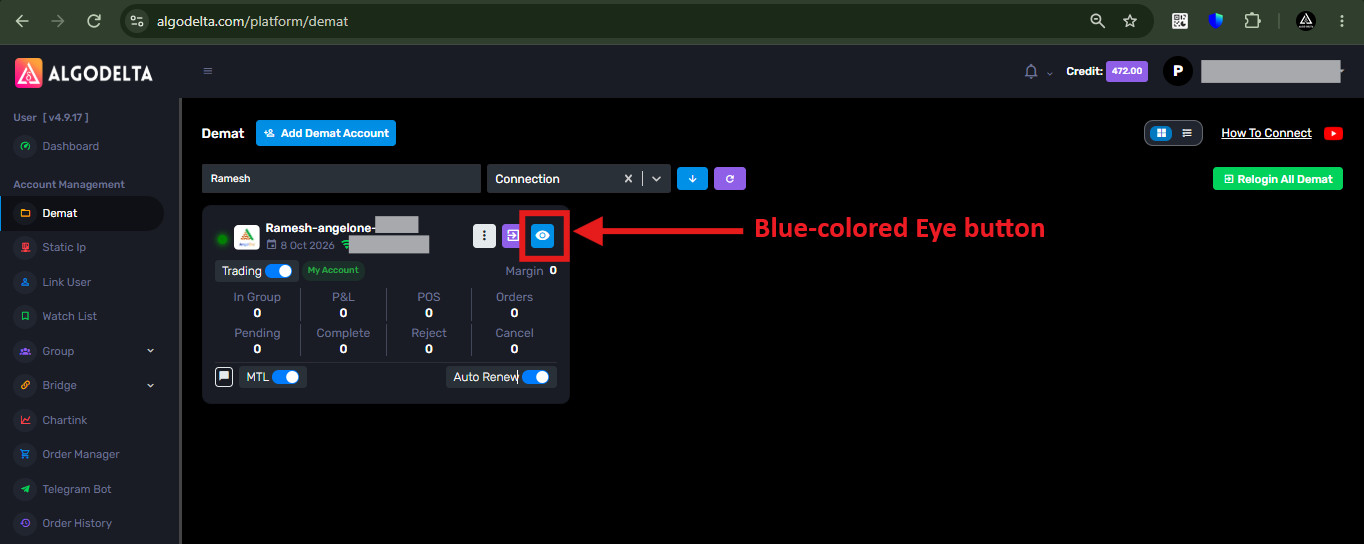
3 ) Then, click on the blue-colored eye button.
4 ) Then, click on the “Positions” tab.
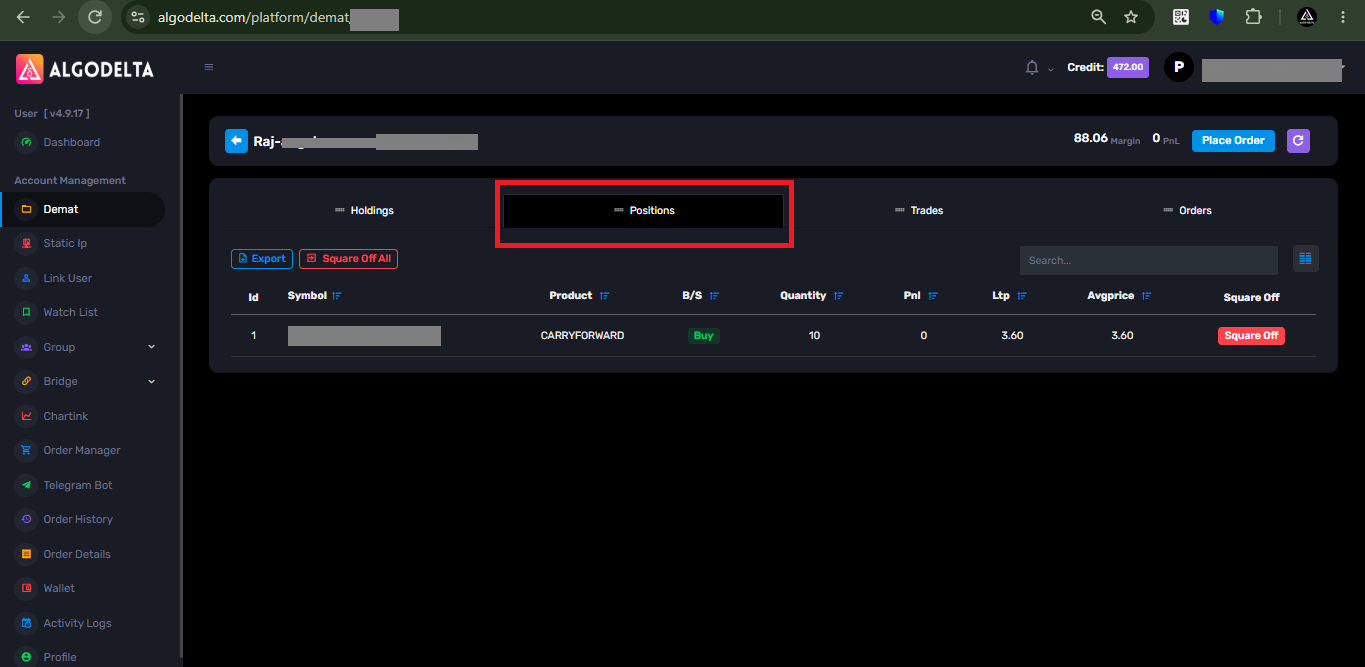
5 ) Then, go to the “Square Off” column and click the red-colored “Square Off” button for whichever position you want to square off.