Let me explain.
1 ) To activate this feature, you need to enable the “Link Sharing Demat Connection” option from the Dashboard tab.
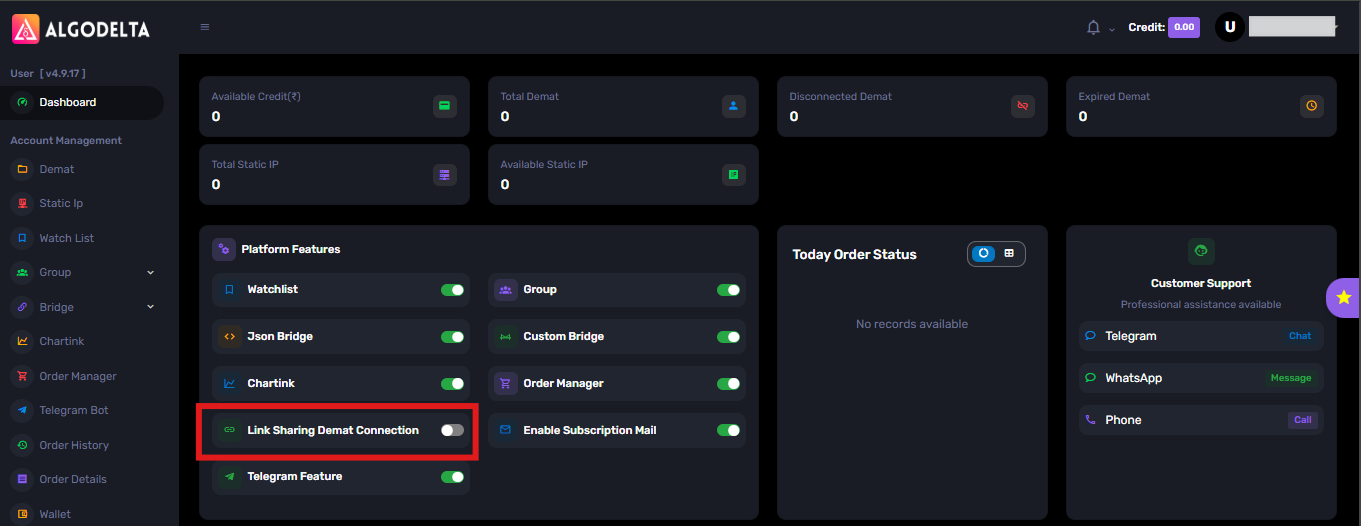
2) Once you enable it, you will see an option like this in the Dashboard tab.
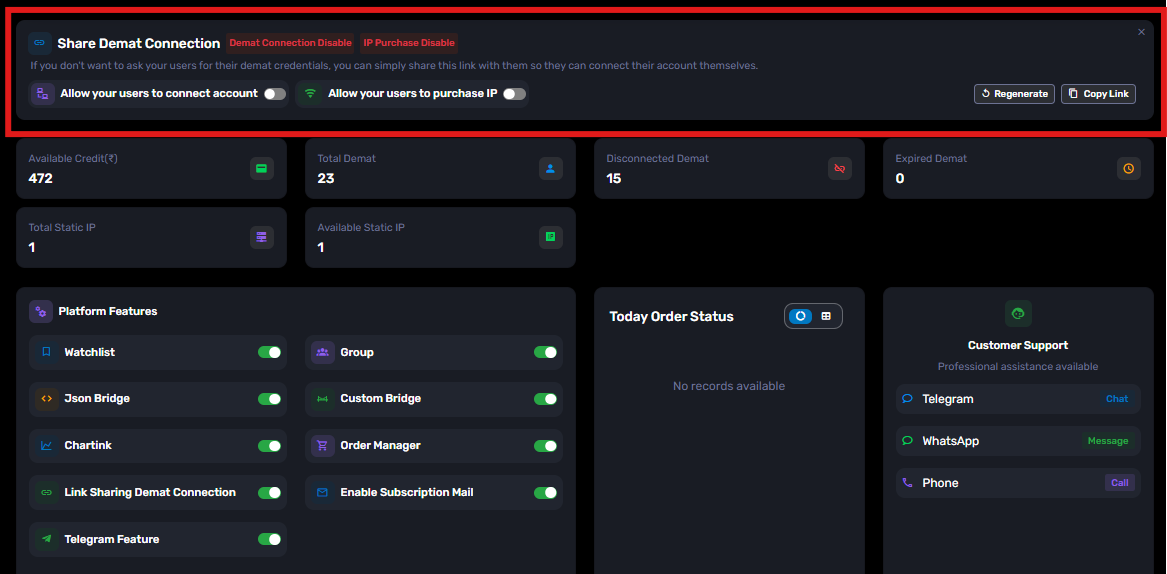
3) Then, you need to enable the “Allow your users to connect account” option.

4) Then, click the “Copy Link” button to copy the link.

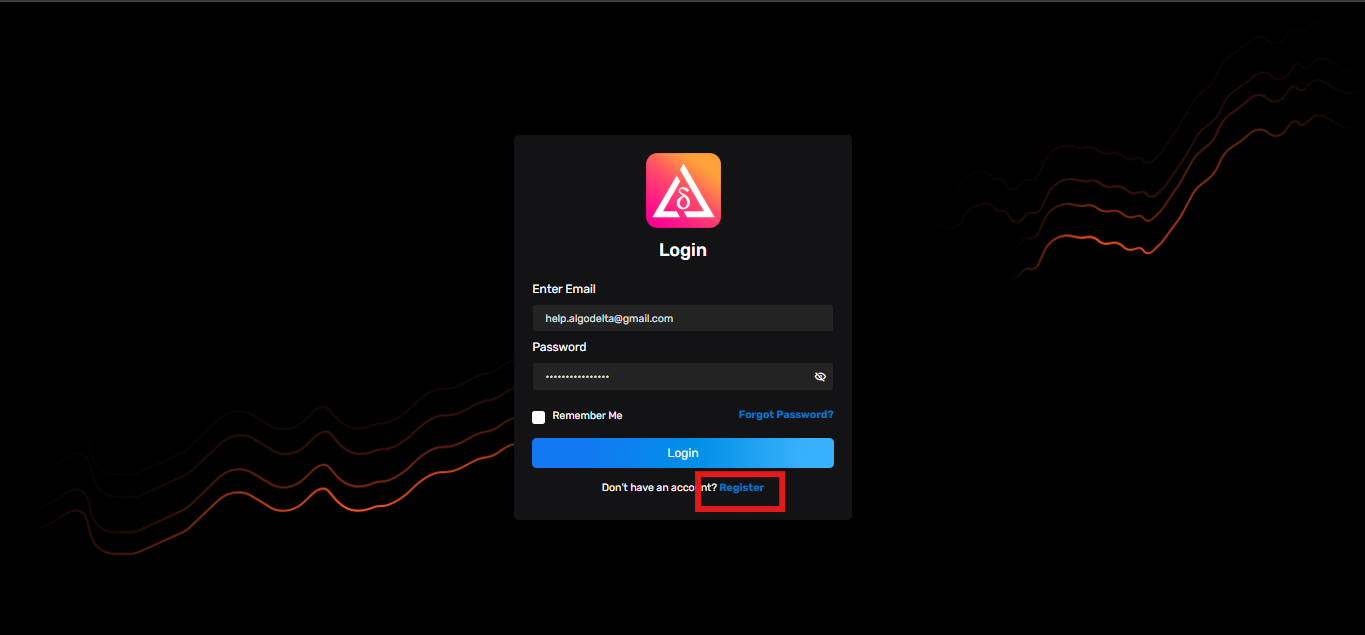
5 ) Then, you need to send this link to your client. The client will see a screen like the one shown below and can register by clicking the “Register” button.
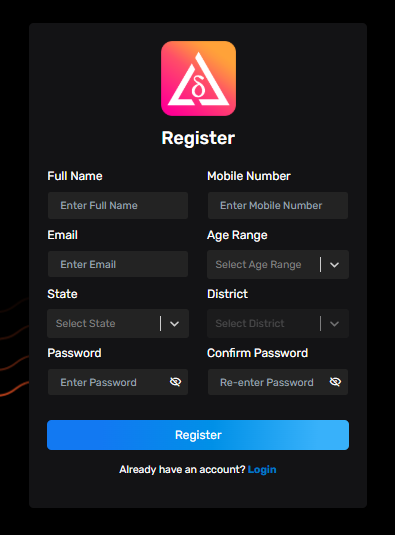
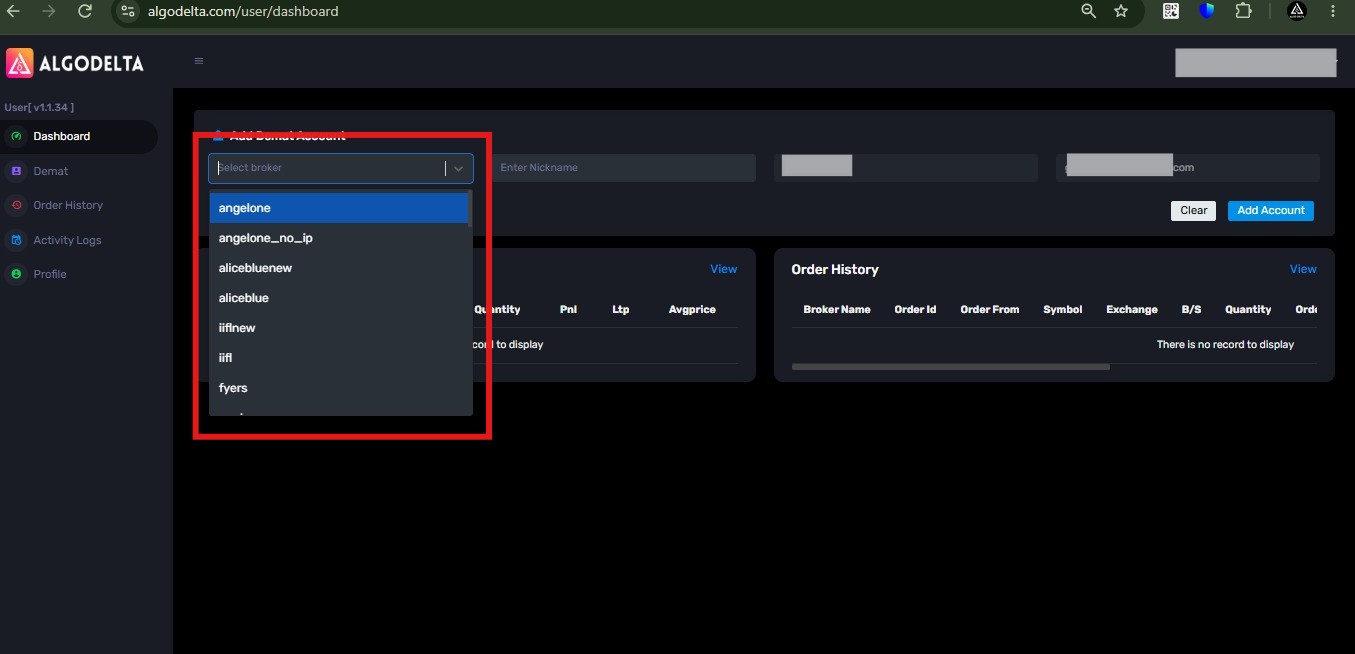
6) After registration, the client will see a screen like the one shown below and can add their broker accounts.
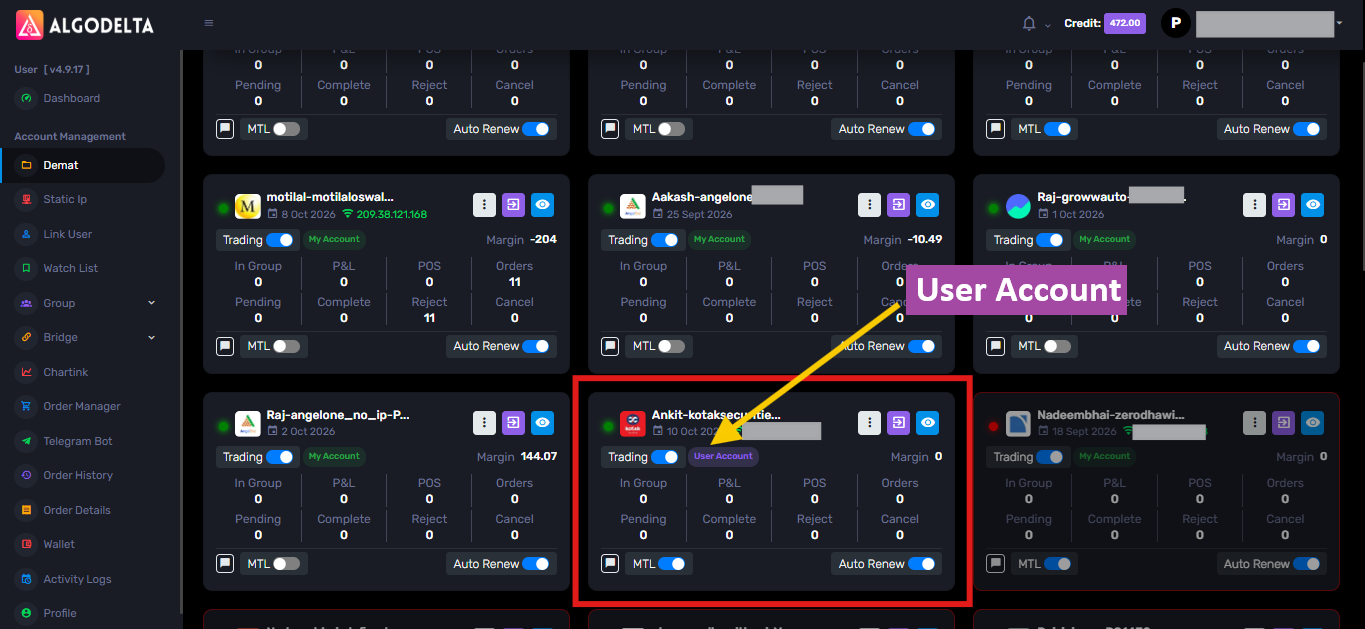
7 ) From the admin side, you can see the client’s account in the Demat tab as a “User Account.” You can then add this account as a child account to Order Manager, TradingView Bridge, Chartink, or any other AlgoDelta feature.
Benefits of “Link Sharing Demat Connection”:
- Clients can add their broker accounts by themselves.
- Clients can view their trades without logging in to their broker terminal.
- Clients can refresh their broker tokens by themselves.
- No need to share broker ID, password, or PIN with the master account.


 Deepak Yadav
